Every MCP server in our catalog of 2,500+ started as a few dozen lines of code. Building your own takes less time than you think — a functional MCP server with real tools can be built, tested, and deployed in under an hour.
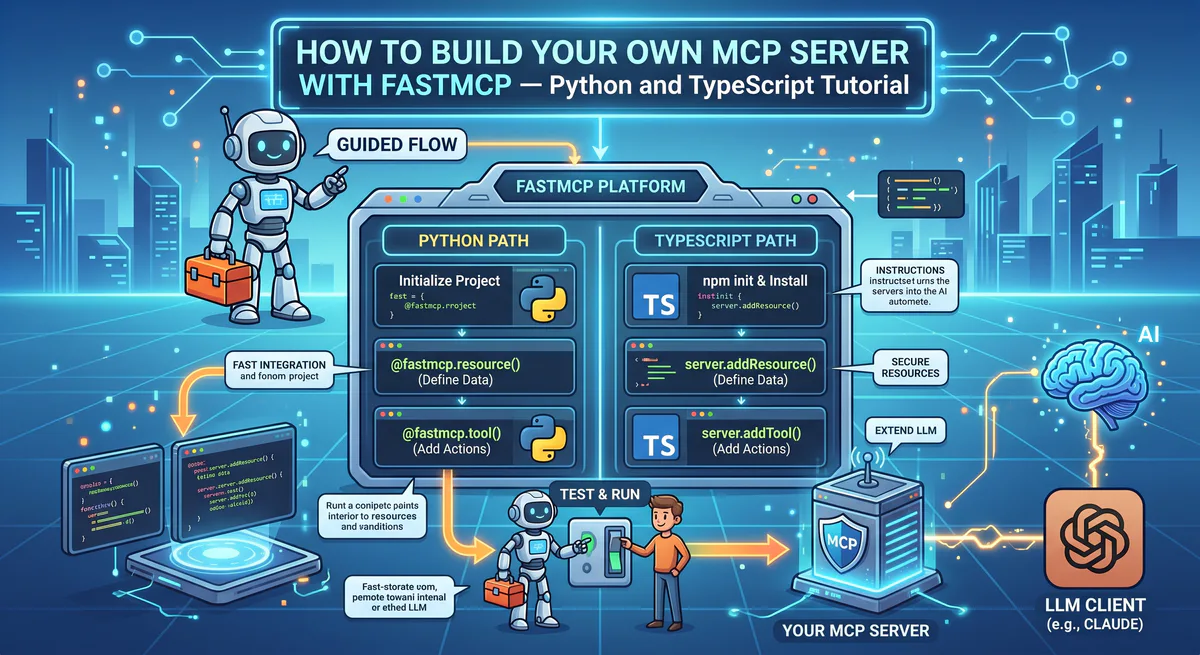
This guide covers both approaches: Python with FastMCP (fastest to build) and TypeScript with the official SDK (more control). By the end, you’ll have a production-ready MCP server that any AI client — Claude, Cursor, ChatGPT, VS Code — can connect to and use.
We’ve built and deployed hundreds of MCP servers across our platform. The patterns in this guide come from that production experience — what works, what breaks, and what you should never do.
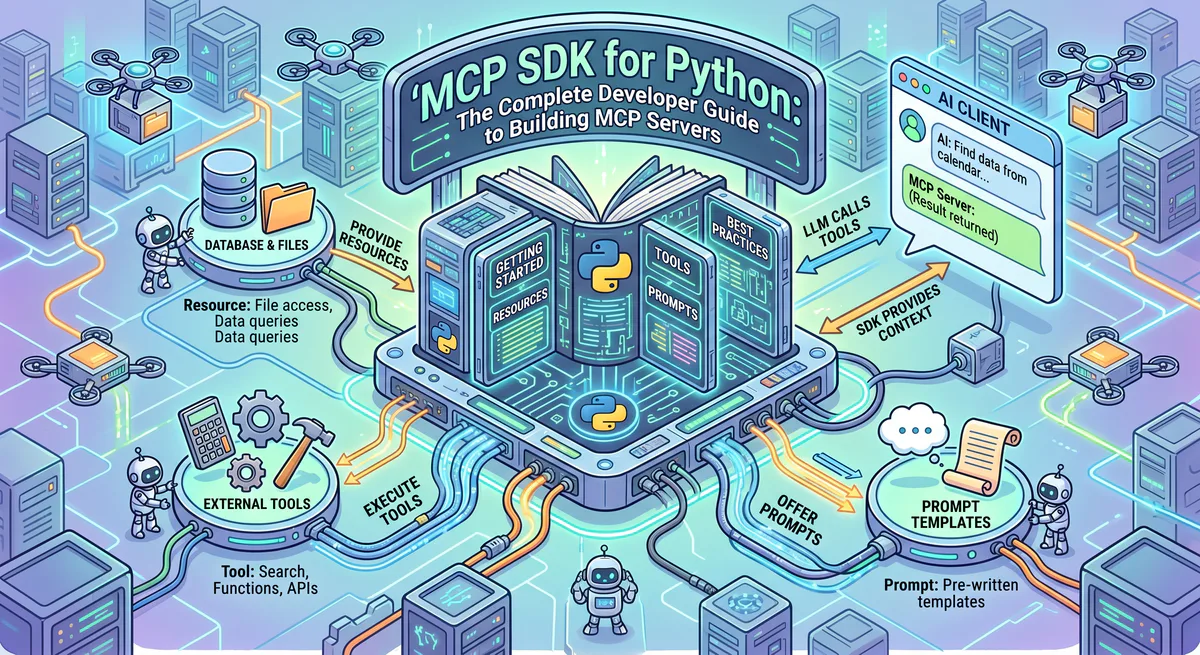
Understanding the 3 Primitives
Every MCP server exposes capabilities through three primitives. Understanding them is essential before writing code:
Tools — Functions the AI Can Execute
Tools are the most common primitive. A tool is a function that the AI can call to perform an action: send a message, query a database, create a ticket, fetch a price.
User: "Post 'Deploy complete' to #engineering on Slack"
AI: Calls tool `post_message(channel="#engineering", text="Deploy complete")`
Tools have inputs (parameters) and outputs (results). The AI decides when to call a tool based on the user’s intent and the tool’s description.
Resources — Data the AI Can Read
Resources are read-only data that the AI can access without calling a function. Think of them as files, configuration values, or reference data that provide context.
User: "What's the database schema for our users table?"
AI: Reads resource `schema://users` → returns column definitions
Resources are identified by URIs and can be static (configuration files) or dynamic (database schemas that update).
Prompts — Reusable Templates
Prompts are pre-written instruction templates that guide the AI for specific tasks. They’re particularly useful for complex, multi-step workflows where you want consistent behavior.
User: "Run the deploy checklist"
AI: Loads prompt `deploy-checklist` → follows the predefined steps
Most servers start with Tools. Add Resources and Prompts as your server matures.
Python: Build with FastMCP
FastMCP is the fastest way to build an MCP server. It handles protocol implementation, transport negotiation, and tool registration through Python decorators.
Step 1: Install
pip install "mcp[cli]"Step 2: Create Your Server
Let’s build a practical example — a weather and location intelligence server:
# weather_server.py
"""
Weather Intelligence MCP Server
Provides weather data and location-based insights.
"""
from mcp.server.fastmcp import FastMCP
import httpx

mcp = FastMCP("WeatherIntelligence")

@mcp.tool()
async def get_weather(city: str) -> dict:
    """Get current weather conditions for a city.

    Args:
        city: The city name (e.g., 'London', 'Tokyo', 'New York')

    Returns:
        Current temperature, humidity, wind speed, and conditions
    """
    async with httpx.AsyncClient() as client:
        resp = await client.get(
            "https://api.weatherapi.com/v1/current.json",
            params={"key": "YOUR_API_KEY", "q": city}
        )
        data = resp.json()
        return {
            "city": data["location"]["name"],
            "country": data["location"]["country"],
            "temp_c": data["current"]["temp_c"],
            "condition": data["current"]["condition"]["text"],
            "humidity": data["current"]["humidity"],
            "wind_kph": data["current"]["wind_kph"],
        }

@mcp.tool()
async def compare_weather(cities: list[str]) -> list[dict]:
    """Compare weather across multiple cities simultaneously.

    Args:
        cities: List of city names to compare

    Returns:
        Weather data for each city, sorted by temperature
    """
    results = []
    for city in cities:
        weather = await get_weather(city)
        results.append(weather)
    return sorted(results, key=lambda x: x["temp_c"], reverse=True)

@mcp.resource("config://supported-cities")
async def get_supported_cities() -> str:
    """List of cities with enhanced weather data coverage."""
    return "London, New York, Tokyo, Paris, Sydney, Berlin, São Paulo, Dubai"

@mcp.prompt()
async def travel_weather_check(destination: str, date: str) -> str:
    """Generate a pre-travel weather briefing prompt."""
    return f"""Check the weather for {destination} and provide a travel briefing:
    1. Current conditions
    2. What to pack based on the weather
    3. Any weather warnings or advisories
    Travel date: {date}"""

if __name__ == "__main__":
    mcp.run()
Notice:
@mcp.tool()— registers a function as a callable tool. The docstring becomes the tool description the AI reads.@mcp.resource()— registers read-only data with a URI.@mcp.prompt()— registers a reusable prompt template.- No transport specification — FastMCP handles protocol negotiation automatically.
Step 3: Test with MCP Inspector
Before connecting to any AI client, test your server with the built-in Inspector:
mcp dev weather_server.pyThis launches a web UI at http://127.0.0.1:6274 where you can:
- See all registered tools, resources, and prompts
- Call tools with test parameters
- Verify response formats
- Debug errors in real-time
The Inspector is your best friend during development. Never skip this step.
Step 4: Connect to Claude Desktop
Add to your Claude Desktop config (claude_desktop_config.json):
{
  "mcpServers": {
    "weather": {
      "command": "python",
      "args": ["/absolute/path/to/weather_server.py"]
    }
  }
}
Restart Claude Desktop. You should see the weather tools appear in the 🔧 menu.
Now ask Claude: “What’s the weather in Tokyo right now?” — and watch it call your tool.
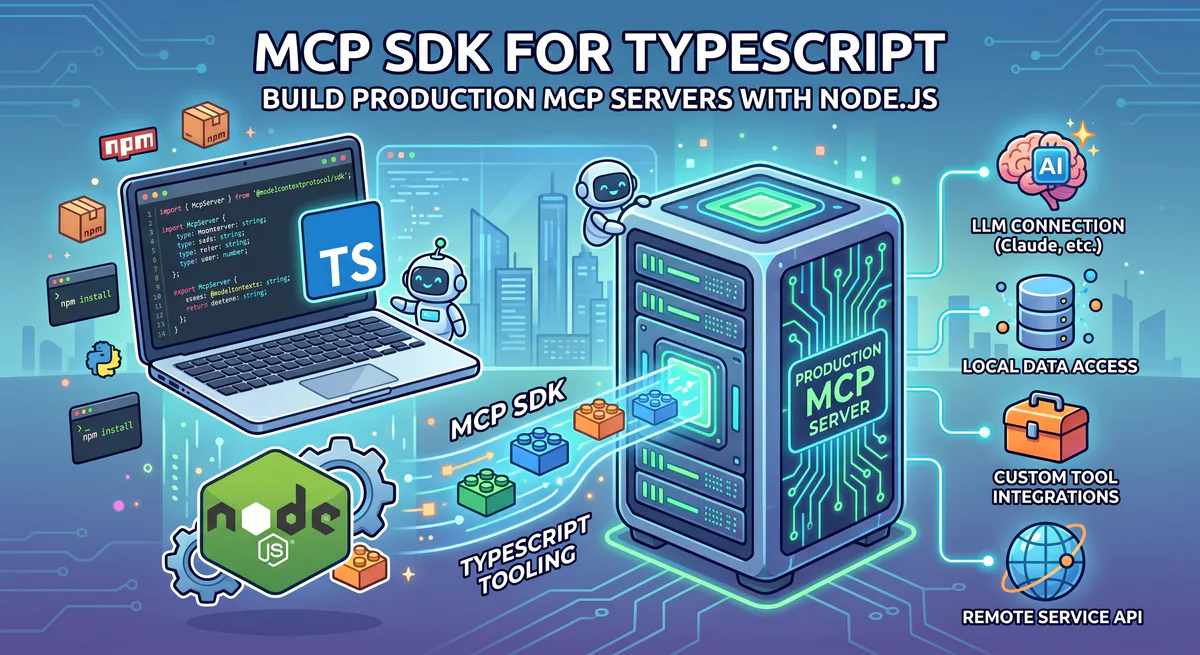
TypeScript: Build with the Official SDK
The TypeScript SDK gives you more control and is closer to the protocol specification.
Step 1: Initialize
mkdir my-mcp-server && cd my-mcp-server
npm init -y
npm install @modelcontextprotocol/sdk zod
npm install -D typescript @types/node
npx tsc --init
Step 2: Create Your Server
// src/index.ts
import { McpServer } from "@modelcontextprotocol/sdk/server/mcp.js";
import { StdioServerTransport } from "@modelcontextprotocol/sdk/server/stdio.js";
import { z } from "zod";

const server = new McpServer({
  name: "WeatherIntelligence",
  version: "1.0.0",
});

// Register a tool
server.tool(
  "get_weather",
  "Get current weather conditions for a city",
  { city: z.string().describe("The city name, e.g. 'London'") },
  async ({ city }) => {
    const resp = await fetch(
      `https://api.weatherapi.com/v1/current.json?key=KEY&q=${city}`
    );
    const data = await resp.json();

    return {
      content: [{
        type: "text",
        text: JSON.stringify({
          city: data.location.name,
          temp_c: data.current.temp_c,
          condition: data.current.condition.text,
        }, null, 2)
      }]
    };
  }
);

// Register a resource
server.resource(
  "supported-cities",
  "config://supported-cities",
  async (uri) => ({
    contents: [{
      uri: uri.href,
      text: "London, New York, Tokyo, Paris, Sydney",
      mimeType: "text/plain",
    }]
  })
);

async function main() {
  const transport = new StdioServerTransport();
  await server.connect(transport);
}

main();
Step 3: Build and Test
npx tsc
mcp dev node build/index.js
Critical Best Practices from Production
These patterns come from operating 2,500+ MCP servers in production:
1. Write Detailed Tool Descriptions
The tool description is what the AI reads to decide when and how to use your tool. Vague descriptions cause the AI to use tools incorrectly.
# ❌ Bad — AI doesn't know what this does
@mcp.tool()
async def fetch_data(id: str) -> dict:
    """Fetch data."""
    ...

# ✅ Good — AI knows exactly when and how to use this
@mcp.tool()
async def get_customer_by_id(customer_id: str) -> dict:
    """Retrieve a customer's profile, subscription status, and billing history.

    Use this when the user asks about a specific customer's account,
    payment history, or subscription details.

    Args:
        customer_id: The customer's unique ID (format: cus_xxxxx)

    Returns:
        Customer profile including name, email, plan, MRR, and
        last 10 transactions.
    """
    ...
2. Never Use print() or console.log()
When using stdio transport, stdout is the communication channel. Any print statement corrupts the JSON-RPC stream and crashes the connection.
# ❌ This will break your server
print("Debug: fetching weather data")

# ✅ Use stderr for logging
import sys
print("Debug: fetching weather data", file=sys.stderr)
3. Handle Errors Gracefully
The AI needs to understand when a tool fails — not crash silently:
@mcp.tool()
async def get_weather(city: str) -> dict:
    """Get weather for a city."""
    try:
        async with httpx.AsyncClient(timeout=10.0) as client:
            resp = await client.get(f"{API_URL}?q={city}")
            resp.raise_for_status()
            return resp.json()
    except httpx.TimeoutException:
        return {"error": f"Weather API timeout for '{city}'. Try again."}
    except httpx.HTTPStatusError as e:
        return {"error": f"City '{city}' not found. Check the spelling."}
4. Keep Tools Focused
One tool should do one thing well. Don’t build a “do everything” tool:
# ❌ Too broad — AI won't know which action to take
@mcp.tool()
async def manage_customer(action: str, customer_id: str, data: dict):
    """Create, read, update, or delete a customer."""

# ✅ Focused — AI clearly chooses the right tool
@mcp.tool()
async def get_customer(customer_id: str) -> dict:
    """Retrieve a customer's profile."""

@mcp.tool()
async def update_customer_email(customer_id: str, new_email: str) -> dict:
    """Update a customer's email address."""
Python vs. TypeScript: How to Choose
We’ve built servers in both languages across our platform. Here’s the honest comparison:
| Factor | Python (FastMCP) | TypeScript (Official SDK) |
|---|---|---|
| Speed to first tool | 10 minutes | 25 minutes (build step required) |
| Lines of code | ~40% fewer (decorators) | More verbose but explicit |
| Async handling | Automatic (async def) | Manual (Promise management) |
| Type safety | Optional (type hints) | Enforced (Zod + TypeScript) |
| Ecosystem | Data science, ML, web scraping | Frontend, Node.js, APIs |
| Deployment | Docker or serverless | Docker, serverless, or edge |
| Best for | Data tools, ML pipelines, API wrappers | Web APIs, SaaS integrations, real-time |
Our recommendation: Start with Python/FastMCP for your first server. Move to TypeScript when you need strict type safety or when your server integrates with a TypeScript/Node.js codebase.
Security Hardening for Production
This is where most community tutorials stop — and where most production issues start. From our experience running 2,500+ servers:
Never Hardcode API Keys
# ❌ Never — this key will leak in version control
API_KEY = "sk-real-key-here"

# ✅ Always use environment variables
import os
API_KEY = os.environ["WEATHER_API_KEY"]
Validate All Inputs
User input flows through the AI to your tools. The AI provides sanitization, but defense in depth requires server-side validation:
@mcp.tool()
async def query_database(table_name: str, limit: int = 10) -> dict:
    """Query a database table."""
    # Validate table name against allowlist
    allowed_tables = {"users", "orders", "products"}
    if table_name not in allowed_tables:
        return {"error": f"Table '{table_name}' is not accessible."}

    # Enforce maximum limit
    limit = min(limit, 100)

    # Use parameterized queries, never string interpolation
    result = await db.fetch(
        "SELECT * FROM $1 LIMIT $2", table_name, limit
    )
    return {"rows": result}
Scope Permissions Tightly
When your server connects to external APIs, always request the minimum permissions required. If your server only reads Slack messages, don’t request write permissions. If it only reads Stripe invoices, don’t use a key that can create charges.
This principle is especially important when deploying to a governed platform. We enforce read-only configurations by default for any server that doesn’t explicitly require write access — a pattern we recommend everyone follows, whether on our platform or self-hosted. Read more about this approach in our CISO Guide to MCP Security.
Testing Strategies
Unit Testing Your Tools
Test your tool functions independently, outside the MCP framework:
# test_weather.py
import pytest
from weather_server import get_weather

@pytest.mark.asyncio
async def test_get_weather_valid_city():
    result = await get_weather("London")
    assert "city" in result
    assert result["city"] == "London"
    assert "temp_c" in result

@pytest.mark.asyncio
async def test_get_weather_invalid_city():
    result = await get_weather("InvalidCityXYZ")
    assert "error" in result
Integration Testing with MCP Inspector
The MCP Inspector (mcp dev) is your primary integration testing tool. Always test these scenarios:
- Tool discovery — Does the AI see all your tools with correct descriptions?
- Happy path — Do tools return the expected data format?
- Error path — What happens when the external API is down?
- Edge cases — Empty inputs, very long strings, special characters
Load Testing (If Self-Hosting)
If you’re self-hosting via HTTP transport, test concurrent connections:
# Simple load test with 10 concurrent connections
for i in $(seq 1 10); do
  curl -X POST http://localhost:8080/mcp \
    -H "Content-Type: application/json" \
    -d '{"jsonrpc":"2.0","method":"tools/call","params":{"name":"get_weather","arguments":{"city":"London"}},"id":1}' &
done
wait
Deploy to Production
Option 1: Deploy to Vinkius (Recommended)
Publish your server to our marketplace and make it available globally:
- Package your server with
vurb.marketplace.jsonmanifest - Run
vurb deployto push to our edge network - We handle hosting, scaling, security, DLP, and audit trails
- Users subscribe and connect via our App Catalog
- You earn revenue from subscriptions
The advantage: you build the tool, we handle the infrastructure. DLP rules, credential management, rate limiting, uptime monitoring, and compliance audit trails are all managed by the platform. This is why over 2,500 servers are hosted with us — the alternative is building all of this yourself.
Option 2: Self-Host via HTTP
For private servers (internal tools, company data):
# Run with HTTP transport for remote access
mcp.run(transport="streamable-http", host="0.0.0.0", port=8080)
Put this behind HTTPS (nginx, Caddy, or cloud load balancer) and connect from any AI client. For details on connecting self-hosted servers to Claude, Cursor, and other clients, see our How to Connect MCP Servers guide.
Common Mistakes We See in Production
After auditing hundreds of servers submitted to our marketplace, these are the most frequent issues:
| Mistake | Impact | Fix |
|---|---|---|
| Vague tool descriptions | AI calls wrong tools or ignores yours | Write descriptions like API docs — include when to use, parameters, and return values |
print() in stdio servers | Silent crashes, corrupted JSON-RPC stream | Use sys.stderr for logging |
| No error handling | AI receives Python tracebacks instead of useful error messages | Catch exceptions, return structured error objects |
| Too many tools (50+) | AI token context wasted on tool schemas, slower responses | Split into focused servers (one per domain) |
| Missing input validation | Injection risks, crashes on unexpected input | Validate against allowlists, enforce limits |
| Hardcoded credentials | API key leaks in version control | Always use environment variables |
| Synchronous blocking calls | Server freezes during slow API calls, connection timeouts | Use async/await and set HTTP timeouts |
What to Build Next
Now that you know how to build, here are high-impact ideas from real usage patterns on our platform:
- Internal database query tool — let AI query your company database with natural language (see Database MCP Servers)
- Customer support agent — connect your helpdesk API to AI (see Customer Support MCP Servers)
- CI/CD status checker — AI checks build status across repos (see DevOps War Room recipe)
- Multi-exchange crypto monitor — AI compares prices across exchanges (see Crypto Portfolio Manager tutorial)
- Content management — AI reads and writes to your CMS (see Brand & Design MCP Servers)
Related Guides
- MCP vs. API → — Why MCP replaces custom code
- Convert OpenAPI to MCP → — Auto-convert any REST API to MCP
- Architecture of MCP → — JSON-RPC 2.0, transports, primitives
- How to Connect MCP Servers → — Client setup for Claude, Cursor, VS Code
- 25 Best MCP Servers 2026 → — Curated guide by category
- CISO Guide to MCP Security → — Enterprise governance
- MCP API Key Security → — Credential management deep-dive
- The Complete MCP Server Directory → — 2,500+ apps
Start Building
Browse the App Catalog → for inspiration, or start coding with pip install "mcp[cli]".
The next MCP server in our catalog could be yours.
Your agents need tools. We make them safe.
Pick an MCP server from the catalog. Subscribe. Copy the URL. Paste it into Claude, Cursor, or any client. One URL — DLP, audit trail, and kill switch included.
V8 sandbox isolation · Semantic DLP · Cryptographic audit trail · Emergency kill switch