Your engineering team just connected Claude to your production database via an MCP server. The demo went great — natural language queries, instant answers, the CEO loved it. Then someone asked: “Show me all users with overdue invoices” and the AI returned full names, email addresses, phone numbers, and the last four digits of credit cards stored in a metadata field nobody knew existed.
Congratulations. You just experienced a data breach through your AI agent.
This isn’t hypothetical. According to Gartner’s 2025 AI Security Report, 47% of organizations that deployed AI agents in production experienced at least one unintended data exposure in the first 90 days. The exposure wasn’t caused by hackers — it was caused by well-intentioned agents returning data they shouldn’t have been able to see.
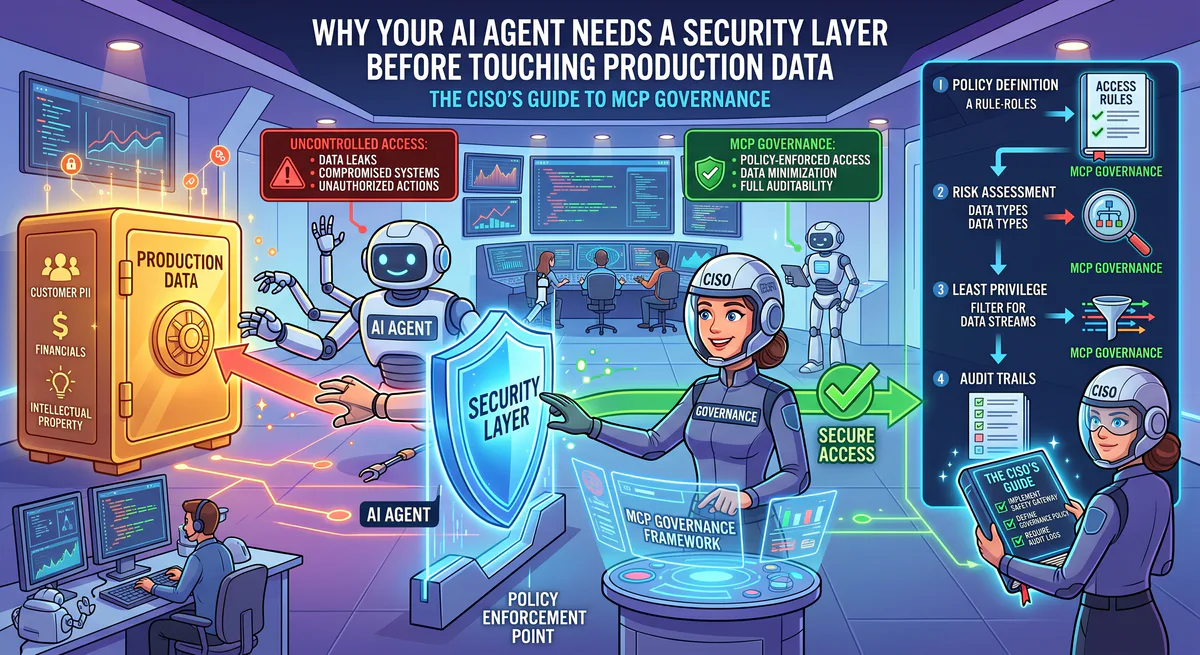
This guide is for CISOs, CTOs, VP Engineering, and anyone responsible for the security posture of AI integrations. It covers the governance framework you need before a single MCP server touches production data.
The Risk: What Can Go Wrong
1. Credential Exposure
The most common MCP configuration stores API keys in plaintext JSON files on every developer’s machine:
{
  "mcpServers": {
    "database": {
      "command": "npx",
      "args": ["@my-server/db"],
      "env": {
        "DATABASE_URL": "postgres://admin:password123@prod-db.company.com:5432/production"
      }
    }
  }
}
That connection string — with the production database password — now exists:
- In a config file on every developer’s laptop
- In the LLM’s context window (some clients pass env vars for debugging)
- Potentially in LLM provider logs (depending on their data retention policies)
- On any machine that clones the repo if committed to Git
Our solution: Credentials never leave our encrypted vault. The AI connects through our edge proxy — it never sees the connection string, password, or API key.
2. Context Bleeding
When an AI processes data from an MCP server, the entire response enters the context window. A query to a customer database might return:
{
  "customers": [
    {
      "name": "John Smith",
      "email": "john@company.com",
      "ssn": "***-**-4532",
      "internal_credit_score": 742,
      "account_manager_notes": "Considering leaving for competitor. Offer 20% discount."
    }
  ]
}
The AI sees everything — including the SSN fragment, internal credit score, and competitive intelligence in the account notes. If the user then asks an unrelated question, this data persists in the context window and may influence subsequent responses.
Our solution: Our DLP engine scans every MCP response before it enters the AI’s context. Configurable rules automatically redact SSNs, credit card numbers, API keys, and any field you designate as sensitive. The AI sees [REDACTED] where the SSN was.
3. Scope Creep
An MCP server connected to HubSpot CRM with a full-access API key can:
- Read all contacts and deals (expected)
- Read all email conversations (unexpected — contains confidential negotiations)
- Modify deal stages (dangerous — AI could accidentally close a deal)
- Delete contacts (catastrophic)
Most teams configure MCP servers with the same API key they use for other integrations — which often has far more permissions than the AI needs.
Our solution: We enforce least-privilege through our Presenter layer. You define exactly which API endpoints the AI can access. The Presenter acts as an allowlist — anything not explicitly permitted is structurally blocked.
4. No Audit Trail
When someone asks your AI: “Show me all employees with salaries over $200K”, who knows? With most MCP configurations, nobody. There’s no log of what was queried, who queried it, or what data was returned.
Our solution: Every query to every MCP server is logged with:
- Who asked (user identity)
- What was asked (natural language query)
- Which tools were called (MCP server + method)
- What was returned (response metadata, not content)
- Timestamp with cryptographic signature (tamper-proof)
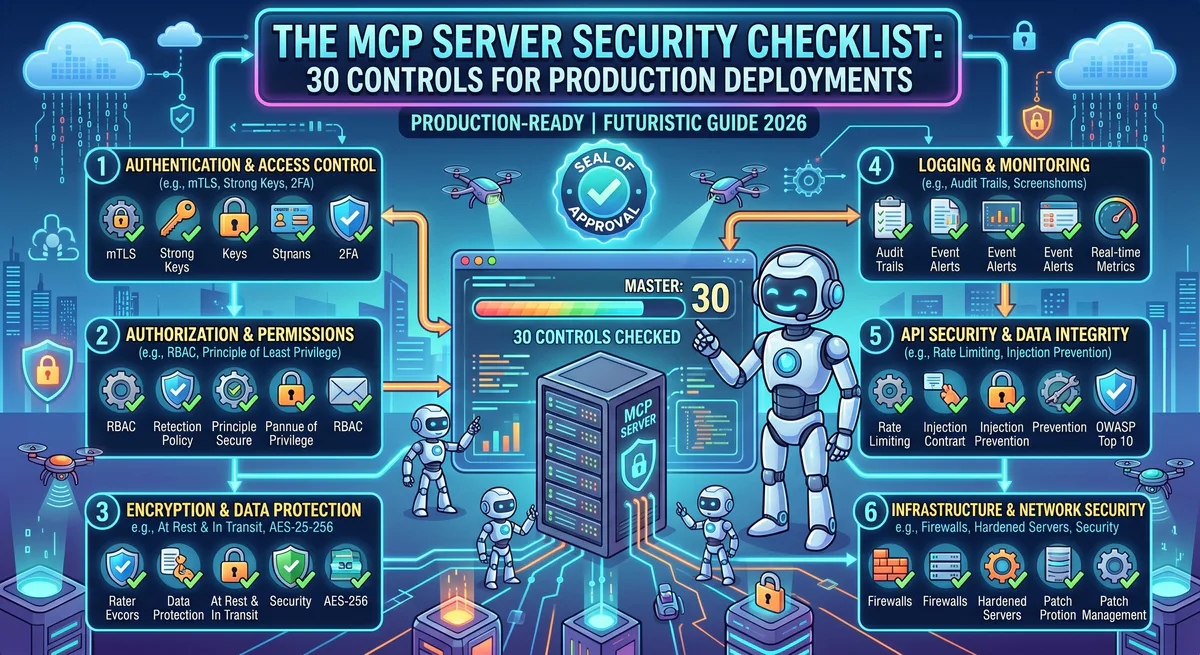
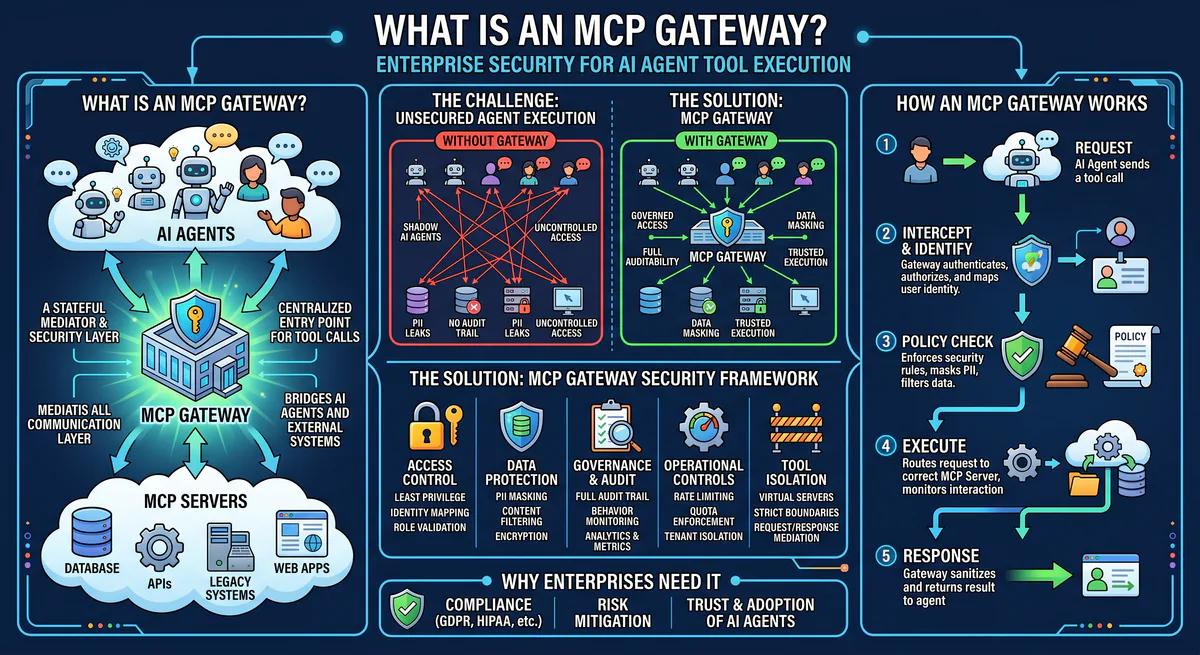
The Governance Framework
Layer 1: Credential Isolation
| Component | What it protects |
|---|---|
| Hardware-backed encrypted vault | API keys, OAuth tokens, database passwords |
| Zero-knowledge architecture | AI processes data but never sees credentials |
| Rotation automation | Credentials rotate on schedule without touching dev machines |
| Emergency revocation | Kill switch disables any connection in <10 seconds |
Layer 2: Data Loss Prevention (DLP)
| Rule | What it catches |
|---|---|
| PII detection | SSNs, phone numbers, email addresses (configurable) |
| Financial data | Credit card numbers (PCI), bank account numbers |
| Credentials in responses | API keys, tokens, passwords in database fields |
| Custom patterns | Regex rules for domain-specific sensitive data |
| Egress firewalls | Only declared columns survive — internal fields destroyed |
Layer 3: Access Control
| Control | How it works |
|---|---|
| Tool-level permissions | Read-only vs. read-write per MCP server |
| Endpoint allowlist (Presenter) | Only explicitly permitted API calls are executed |
| Semantic classification | Queries classified as QUERY (safe), MODIFY (logged), DESTRUCTIVE (blocked) |
| User-level scoping | Different team members get different permission levels |
Layer 4: Audit & Compliance
| Capability | What it enables |
|---|---|
| Cryptographic audit trail | Tamper-proof logs for SOC 2, HIPAA, GDPR |
| Query replay | Reconstruct exactly what the AI did and saw |
| Anomaly detection | Alert on unusual query patterns (e.g., bulk data extraction) |
| Compliance reporting | Pre-built reports for SOC 2 Type II auditors |
Implementation: What Changes for Your Team
Before (Ungoverned MCP)
- Developer finds an MCP server on GitHub
- Installs it locally with
npx - Adds production API key to their local config file
- Connects to Claude/Cursor
- Starts querying production data
- No visibility. No governance. No audit trail.
After (Governed MCP via Vinkius)
- Admin subscribes to MCP servers in our dashboard
- Configures permissions: read-only, specific endpoints, DLP rules
- Generates connection URLs for team members
- Developers paste URLs into their AI clients
- Every query logged. Credentials isolated. DLP active. Full visibility.
The developer experience is actually simpler — paste one URL instead of installing packages, managing API keys, and hoping the random GitHub MCP server is secure and maintained.
Cost of Getting This Wrong
| Scenario | Potential Cost |
|---|---|
| GDPR violation (unintended PII exposure) | Up to €20M or 4% of global revenue |
| HIPAA violation (PHI in AI context window) | $100K - $1.5M per incident |
| SOC 2 audit failure (no audit trail for AI queries) | Lost enterprise contracts, 6-12 month remediation |
| Leaked API key (production database credential exposure) | Full database compromise, mandatory breach disclosure |
| Competitive intelligence leak (deal notes in AI context) | Unquantifiable business damage |
Who This Guide Is For
- CISOs evaluating AI agent security posture
- CTOs making AI integration platform decisions
- VP Engineering managing teams who use Claude, Cursor, or ChatGPT with business tools
- Compliance Officers preparing for SOC 2 / HIPAA / GDPR audits that now include AI
- Security Engineers implementing AI agent governance frameworks
Start Governing Your AI Connections
Browse the App Catalog → — 2,500+ governed MCP servers.
Your AI agents are only as secure as the weakest connection. Make every connection governed.
Related Guides
- How to Connect MCP Servers → — Setup for Claude, Cursor, VS Code, ChatGPT
- Context Bleeding: JSON.stringify() Leaks → — CWE-200 vulnerability deep-dive
- MCP API Key Management → — From plaintext to zero-trust
- Architecture of MCP Servers → — Technical deep-dive
- The MCP Server Directory → — 2,500+ apps
Your agents need tools. We make them safe.
Pick an MCP server from the catalog. Subscribe. Copy the URL. Paste it into Claude, Cursor, or any client. One URL — DLP, audit trail, and kill switch included.
V8 sandbox isolation · Semantic DLP · Cryptographic audit trail · Emergency kill switch