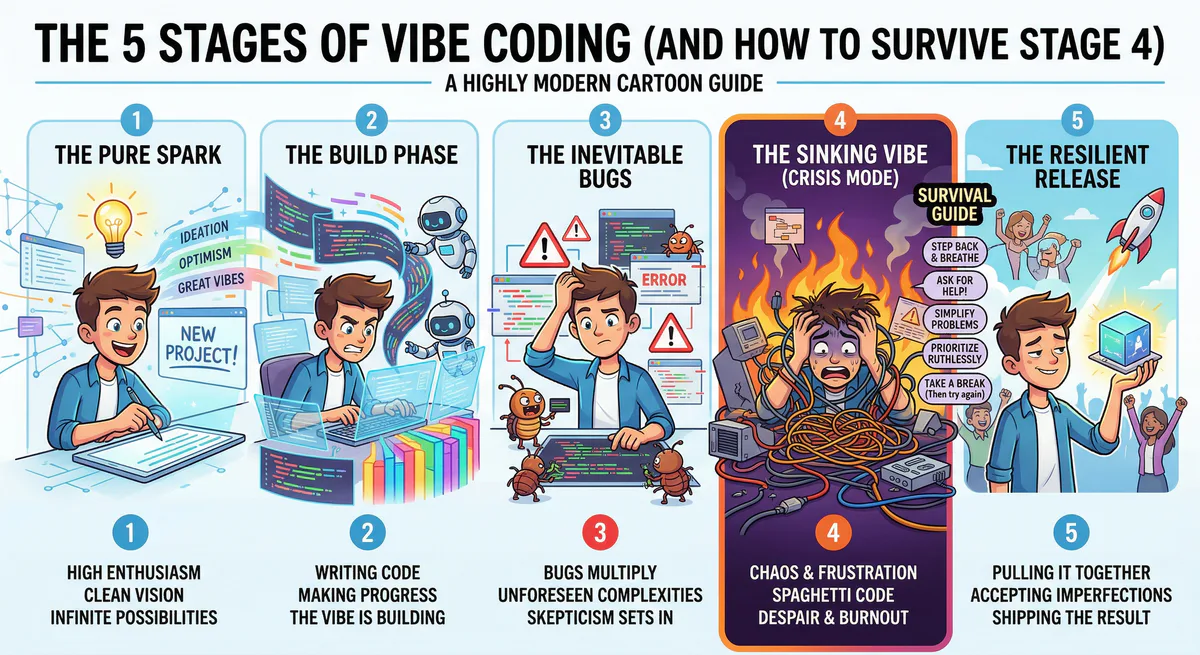
If you’ve built an app with AI in the last year, you’ve been through The Arc. You know exactly what it feels like. You may be living in Stage 4 right now.
Let’s walk through it. Together. With solutions.
Stage 1: The Euphoria
You type a prompt into Lovable:
“Build a SaaS dashboard for managing client projects. Include a sidebar, a Kanban board, and an analytics section with charts.”
Thirty seconds later, you have a working app. Dark mode. Smooth animations. The Kanban board actually drags and drops. The charts have data in them.
You screenshot it. You send it to three friends. You start thinking about pricing tiers.
You feel like a wizard. You feel like you just skipped five years of computer science education. You feel like the future arrived and it chose you specifically.
Diagnosis: This is normal. Enjoy it. It won’t last.
Stage 2: The Demo
You show the app to your client, your boss, or your co-founder. Their reaction:
“This is incredible. When can we go live?”
You say “next week” because the app looks 95% done. And honestly? It kind of is. The UI is polished. The navigation works. The animations are smooth. Everything looks perfect.
You schedule the launch for Friday.
Diagnosis: You are now making promises based on the 95% that was easy, ignoring the 5% that is hard. This is a known pattern. There is a name for it in project management: the last mile problem. The first 95% of work takes 50% of the time. The last 5% takes the other 50%.
Stage 3: “Can You Add Real Data?”
This is the moment. Every vibe coder remembers where they were when they first heard these words.
Your client looks at the dashboard and says:
“This looks great. But can it show our actual clients? From HubSpot?”
Or your boss says:
“Love it. Now connect it to Stripe so we can see real revenue.”
Or your co-founder says:
“Where is this data coming from? Can we pull it from our Supabase database?”
And you look at the beautiful dashboard and realize: every single number on the screen is fake. $12,450 MRR. 24 Active Projects. Sarah Johnson, Enterprise Plan. All generated. All placeholder. All fiction.
Diagnosis: You have built a movie set. It looks like a house, but nobody can live in it. The walls are plywood. There is no plumbing.
Stage 4: The Panic
This is where it gets ugly.
You start Googling:
- “how to connect Lovable to Stripe”
- “Supabase edge functions tutorial”
- “what is an API key”
- “CORS error fix”
- “why is my fetch returning undefined”
- “how to hide API key in frontend” (danger zone)
- “what is environment variable”
You spend three hours reading documentation for an API you’ve never heard of. You copy-paste code from Stack Overflow. You get a CORS error. You fix it. You get a 401 Unauthorized. You fix it. You get a 500 Internal Server Error. You close your laptop.
You open it again. You try a different approach. You ask Claude to help. Claude generates code that looks right but doesn’t work because it doesn’t know your project structure.
Two days later, you’ve managed to connect one endpoint. One. And the data comes back in a format your app doesn’t expect, so the dashboard crashes.
Your Friday launch is now “sometime next month.”
This is where most vibe coders quit. Not because they can’t build apps — they clearly can. They quit because the gap between “it looks done” and “it works with real data” feels like learning a completely different skill. And it is. It’s called integration engineering. And traditionally, it takes months to learn.
Diagnosis: You don’t need to learn integration engineering. You need a shortcut.
The Shortcut: Bridges
Here’s what the panic stage looks like with a shortcut vs. without:
Without a shortcut (the hard way)
- Read Stripe API documentation (30 pages)
- Generate API keys in the Stripe dashboard
- Figure out where to store them safely (not in the frontend, please)
- Write fetch calls with proper authentication headers
- Handle pagination (Stripe returns 10 items at a time)
- Parse the response format
- Map Stripe field names to your app’s field names
- Handle errors (expired keys, rate limits, network failures)
- Repeat for every other service (HubSpot, Zendesk, Notion…)
Time: days to weeks per integration. And you’ll need to maintain them forever.
With a shortcut (the bridge way)
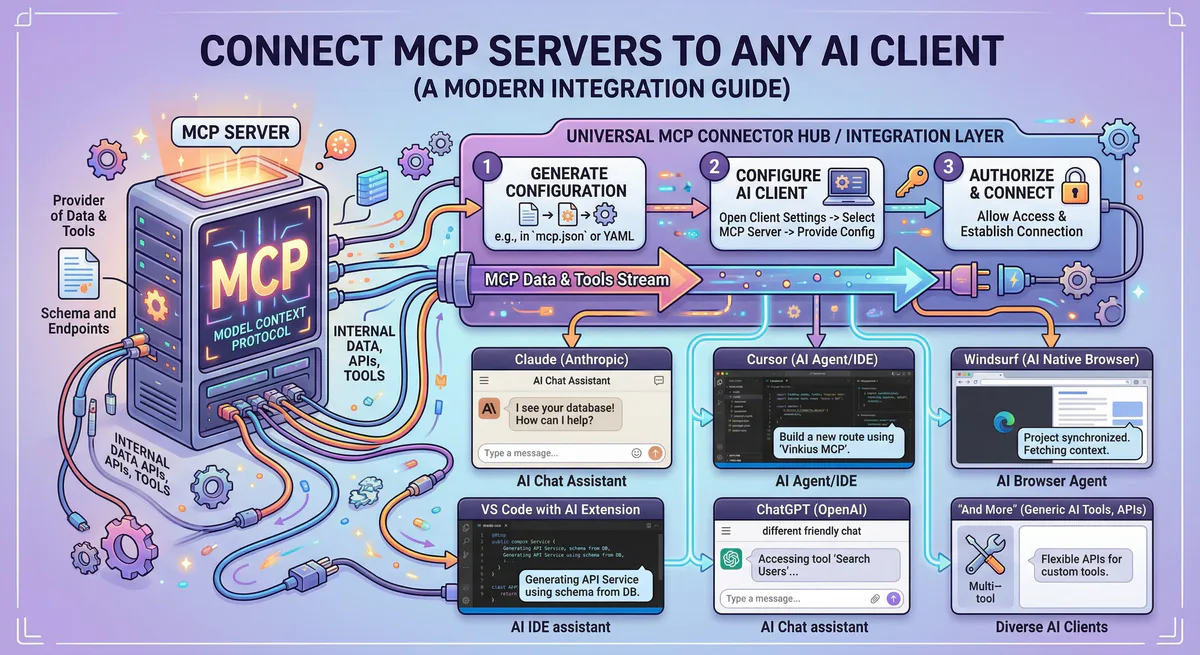
- Go to our App Catalog
- Search “Stripe.” Click “Subscribe.”
- Copy the connection URL
- Paste it into Lovable/Cursor/Claude
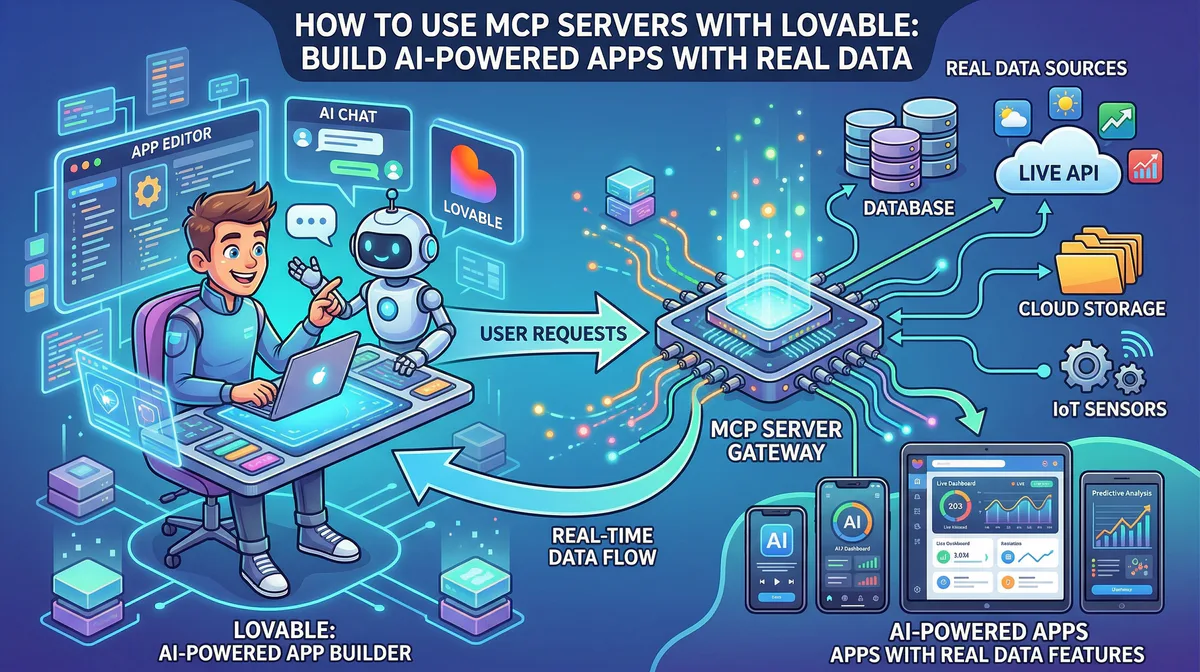
- Tell the AI: “Show real Stripe invoice data in the billing section”
Time: 5 minutes. And we maintain the bridge for you.
That’s it. The bridge handles authentication, data formatting, pagination, error handling, and security. You paste a URL and tell your AI what to do with the data.
Stage 5: “Wait, It Actually Works?”
This is the best stage. It’s the stage where your app stops being a prototype and starts being a product.
Your client refreshes the dashboard and sees their actual customer names. Their actual revenue numbers. Their actual support tickets. Not placeholder text — their data.
The reaction is always the same:
“Wait… this is live data? This is real?”
Yes. It’s real. And you connected it in five minutes while your client was getting coffee.
This is the moment that separates vibe coders who build side projects from vibe coders who build businesses.
The Cheat Sheet
Here’s your Stage 4 survival kit. Bookmark this.
| When your client asks… | You need this bridge | Time to connect |
|---|---|---|
| ”Show our real customers” | HubSpot MCP | 5 min |
| ”Connect to our payments” | Stripe MCP | 5 min |
| ”Pull data from our spreadsheet” | Google Sheets MCP | 5 min |
| ”Read our project tickets” | Jira MCP | 5 min |
| ”Connect to our database” | Supabase MCP | 5 min |
| ”Show our support tickets” | Zendesk MCP | 5 min |
| ”Post updates to our Slack” | Slack MCP | 5 min |
| ”Read our company docs” | Notion MCP | 5 min |
| ”Analyze a competitor’s website” | Firecrawl MCP | 5 min |
| ”Connect to our code repo” | GitHub MCP | 5 min |
All available in our App Catalog. Over 2,500 bridges. Subscribe → copy URL → paste → done.
The FAQ That Nobody Posts on Reddit
“Do I need to be a developer?” No. If you can build an app in Lovable, you can paste a URL into a settings panel. That’s the whole skill.
“What if my client uses a tool that’s not in the catalog?” We have 2,500+ bridges. But if yours is missing, email us at support@vinkius.com. We add new ones every week.
“Is my client’s data safe?”
Yes. Their API keys are stored in our encrypted vault — not in your code, not in your Lovable project, not in your .env file. We also scan every response for sensitive data (credit cards, passwords, SSNs) and redact it automatically before the AI sees it. And there’s a kill switch that shuts down any connection instantly if needed.
“How is this different from Zapier?” Zapier connects apps to apps with rigid “if-this-then-that” rules. Our bridges connect your AI to apps with flexible, conversational access. You can ask follow-up questions. You can change what you’re looking for mid-conversation. And you don’t pay per action.
“Will I look dumb for not knowing this existed?” No. Almost nobody knows about this yet. You’re early. That’s an advantage, not an embarrassment.
Skip Stage 4
Here’s the truth: Stage 4 is optional. You can go straight from “looks great” to “it’s live” without the panic, the CORS errors, and the 3am Stack Overflow sessions.
Step 1. Create a free account.
Step 2. Browse the App Catalog. Find the bridges your app needs.
Step 3. Paste the connection URLs into your AI tool.
Step 4. Tell your AI to use real data instead of placeholders.
Step 5. Ship it. For real this time.
Still stuck in Stage 4? We’ve all been there. Join our community — people who’ve made it to Stage 5 love helping others get there too.
Your agents need tools. We make them safe.
Pick an MCP server from the catalog. Subscribe. Copy the URL. Paste it into Claude, Cursor, or any client. One URL — DLP, audit trail, and kill switch included.
V8 sandbox isolation · Semantic DLP · Cryptographic audit trail · Emergency kill switch