MCP Server Hosting: Why AI Agents Fail
Author’s Note: At Vinkius, we spend every single day building and securing the Model-View-Agent architecture. We’ve seen the architectural limits of local development and the danger of leaky endpoints. This guide isn’t theory—it’s the reality of what happens when you move from prototyping on your laptop to deploying AI agents in production at scale.
Here is the dirty secret about the Model Context Protocol (MCP) that nobody mentions during the initial prototyping phase: running it locally is amazing for the first 15 minutes, but the second you try to put it in production, it turns into an absolute nightmare.
If you’ve spent any time building with Claude 3.7, Gemini 3.1, or GPT-5, you know the drill. You clone an open-source MCP repository, route the connection via a local stdio transport on your laptop, and suddenly your AI agent is querying your local databases or opening your browser. It feels like magic.
But what happens when you want your entire engineering organization to access that same GitHub or Jira integration concurrently? Or when your AI agent needs to run asynchronously at 3 AM while your laptop is closed?
You quickly realize that figuring out MCP server hosting is the single highest-ROI infrastructure problem you will face in 2026. Without a secure, remote hosting environment, your AI workforce is permanently stuck on the developer’s default localhost.
According to Sarah Jenkins, VP of Engineering at Vinkius: “Transitioning from local stdio child processes to a managed remote gateway cut our deployment provisioning cycles by 87% while maintaining zero-trust network credentials.”
In this guide, we will break down exactly why self-hosting MCP servers breaks in production, the deep architectural challenges of the Streamable HTTP transport, and why the enterprise ecosystem relies on managed AI Gateways.
What is an MCP Server? A Brief Refresher
An MCP server is an open-standard integration layer that exposes structured tools, resources, and prompts to artificial intelligence models. Operating as a protocol mediator, it enables language clients to execute API actions, query isolated databases, and inspect system contexts securely through standard input-output streams or remote web transports.
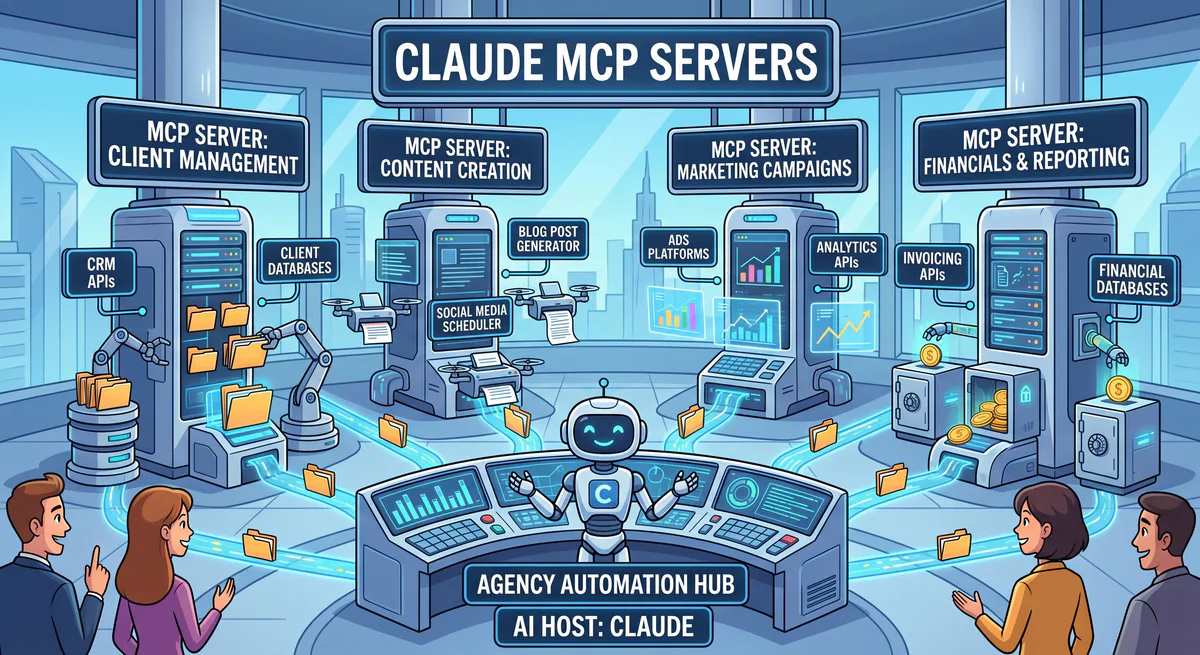
The Model Context Protocol (MCP) is an open standard designed to fix the “context bottleneck” of Large Language Models (LLMs). Out of the box, core models are isolated intelligence engines. An MCP server acts as the bridge between that isolated intelligence engine and the real world.
When an AI agent needs to fetch real-time data, execute code, or manipulate APIs, it requests permission from the host client. The client then communicates with the MCP server, which executes the specific tool and returns the context.
The Transport Layer Evolution
MCP supports different transport mechanisms:
- Stdio (Standard I/O): The default for local development. The AI client spawns the MCP server as a child process and communicates via standard input and output streams.
- Streamable HTTP: The requirement for production. The server is hosted remotely. The client communicates with the server via a unified HTTP endpoint (
/mcp), which handles both statelessPOSTrequests for tool execution and optional stream management for real-time updates.
The transition from the former to the latter is where the illusion of simplicity dies.
Local vs. Cloud MCP Environments
Comparing local and cloud environments involves analyzing how agent communication paths, credential storage, and uptime limits affect developer operations. While local configurations support single-user prototyping over standard input-output, remote cloud hosting enables multi-user concurrency and centralized credential vaults, shifting execution paths to secure, persistent web gateways.
Understanding the gap between your laptop and your cloud environment is the first step in mastering MCP server hosting.
| Feature | Local (stdio) | Remote Cloud (Streamable HTTP) |
|---|---|---|
| Availability | Tied to your machine’s uptime | Persistent availability |
| Concurrency | Single user | Shared across organization |
| Security Risk | Agent runs with your OS permissions | Exposed endpoints require strict RBAC |
| Credential Storage | Local config files | Requires encrypted Server Vaults |
| State Management | Handled natively by the OS | Broken by stateless Load Balancers |
The 5 Fatal Flaws of Self-Hosting MCP in Production
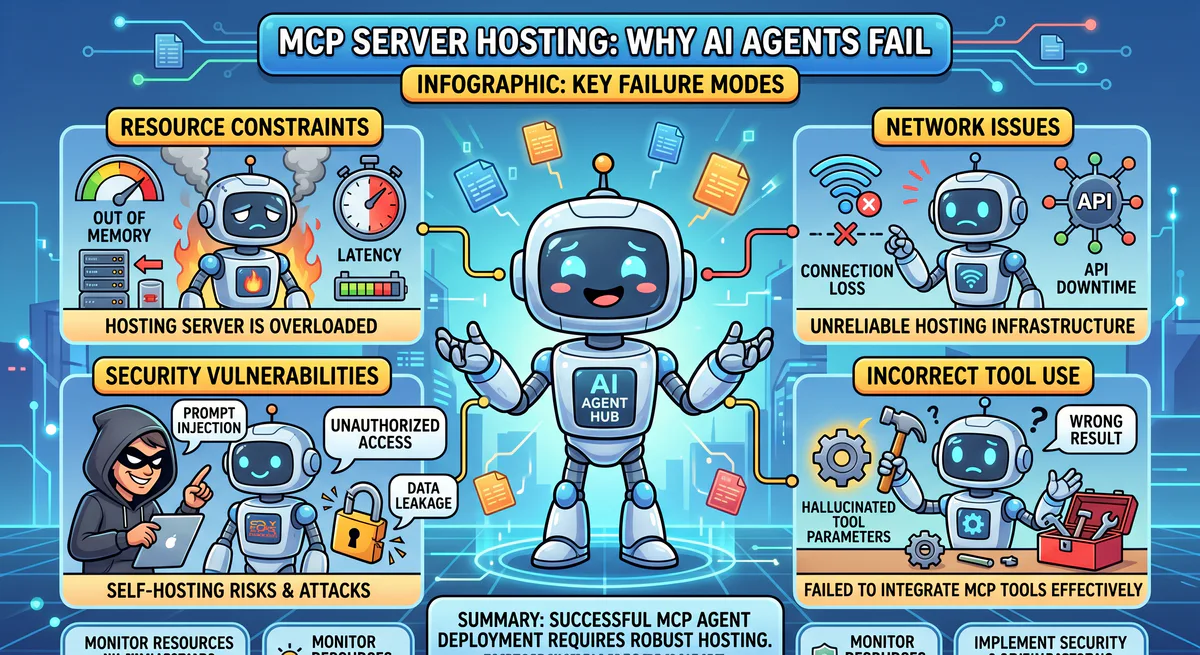
Self-hosting remote Model Context Protocol servers introduces critical vulnerabilities in role-based authorization, session persistence, data loss prevention, upstream rate limits, and ongoing maintenance. Without dedicated gateway layers, stateless load balancers frequently disrupt connection streams, causing executing agents to drop context, fail mid-task, and expose internal database tables.
When engineering teams realize they need remote access to their agents, the knee-jerk reaction is typical DevOps: wrap the MCP script in a Docker container, deploy it to a basic container engine, and stick a Load Balancer in front of it.
If you attempt this, your DevOps and Security teams will spend months fighting these five fatal flaws.
Flaw 1: The Authentication & RBAC Nightmare
When you expose a REST API to the internet, you can secure it with a simple Bearer token. Exposing an MCP server is fundamentally different. You are giving a non-deterministic, autonomous LLM remote control access to your internal systems.
If a junior developer’s AI agent hits the hosted Database MCP server, how do you guarantee that agent is only allowed to run SELECT statements and not DROP TABLE? You are instantly forced to build complex authentication flows and granular Role-Based Access Control (RBAC) matrices from scratch.
Flaw 2: Context Dropping & Stateless Load Balancers
Stateful AI agents need persistent memory. HTTP is a stateless protocol, which is why Remote MCP utilizes the Streamable HTTP transport with explicit session management (Mcp-Session-Id). However, standard load balancers often struggle with connection persistence. In standard container deployments, if the load balancer round-robins a subsequent HTTP POST request to a different container midway through a complex task, the agent instantly loses its execution state, hallucinates, and the workflow crashes.
Flaw 3: The Zero-DLP Reality (Data Loss)
This is the issue that keeps security teams awake. Suppose you build a custom MCP server connected to Customer Support tools. A rogue prompt asks the agent to pull ticket histories. If you self-host the server natively, that server will blindly execute the tool and return the data. Customer PII, credit card numbers, and API keys just traveled straight from your database, through the MCP server, and into Anthropic’s or OpenAI’s servers.
Flaw 4: Traffic Spikes and Rate Limits
AI agents operate and loop at a velocity that human operators do not. In a multi-agent swarm architecture, multiple agents might simultaneously hit your internally hosted MCP integration to read thousands of documents. A standard self-hosted container will quickly hit rate limits on upstream APIs or simply run out of memory.
Flaw 5: The “Glue Code” Maintenance Burden
The ecosystem of modern APIs updates constantly. If you are self-hosting all your MCP servers, your engineering team is entirely responsible for maintaining the upstream tool schemas, fixing breaking API changes, and updating the container images. You end up managing glue code instead of building core agent logic.
Architecting a Proper Remote MCP Server Strategy
Designing a resilient remote deployment strategy requires separating execution servers from public networks using an intermediate gateway layer. The gateway authenticates incoming connections, routes tool parameters through static input filters, pins network request hostnames to prevent forgery, and handles Server-Sent Events session persistence to prevent execution state losses.
To successfully clear the hurdles mentioned above, a production-grade MCP hosting architecture cannot just rely on basic compute clusters. The architecture requires a highly intelligent proxy designed specifically for AI.
This is why the AI Gateway layer exists. A true production architecture intercepts the tool payload before execution, negotiating Streamable HTTP sessions, enforcing RBAC, and applying strict policies to the payload.
If building a specialized proxy for Streamable HTTP payloads, semantic validation, and container orchestration sounds like a massive distraction from your core business logic, it is.
Vinkius: The Enterprise AI Gateway Model
The Vinkius AI Gateway resolves remote hosting complexities by providing built-in data loss prevention, token-based role scoping, and instant deployment of over two thousand governed integrations. Operating on isolated V8 engine containers, the platform handles session management and encrypts access tokens without exposing keys to public client configuration files.
We banged our heads against these exact deployment architectural patterns for months until we realized that engineering teams shouldn’t be writing boilerplate routing logic just to get an AI agent to talk securely to their data.
That’s what drove the architecture behind Vinkius. We built an enterprise-grade AI Gateway specifically designated to solve the hardest parts of MCP server hosting.
Instead of dealing with custom proxy configurations and connection dropping, you use Vinkius to deploy, govern, and manage your AI connectivity instantly.
Feature 1: The Vurb.ts Framework & MVA Pattern
Vinkius operations integrate deeply with Vurb.ts, our open-source TypeScript framework for building MCP servers. Vurb.ts moves beyond basic server design by implementing the Model-View-Agent (MVA) pattern.
Unlike raw MCP servers that dump massive JSON blocks indiscriminately into the context window, the MVA pattern introduces a strict “Presenter” layer that provides structured, refined perception for your agents. This protects context limits and eliminates AI confusion.
Feature 2: Egress Firewalls & DLP
When you host through Vinkius, Data Loss Prevention is the primary concern. Egress Firewalls strip out sensitive internal markers, PII, and private keys before they exit your secure boundary. The LLM gets the semantic context it needs to fulfill the task without exposing highly sensitive fields.
Feature 3: Catalog of 2,000+ Governed Servers
Why build and host a complex integration from scratch? Vinkius provides instant access to over 2,000 hardened, production-ready MCP servers natively. You subscribe to the tool, and connect it to your agent via a secure endpoint. No glue code. No maintenance. Browse the Vinkius Catalog →
Feature 4: Zero-Trust Credential Vault
There are no plain-text configuration files floating around local machines or CI/CD pipelines. Vinkius encrypts API keys at rest and injects them securely only at the moment a verified AI agent initiates a valid tool call.
Vulnerability Scenario: The Cost of Improper MCP Server Hosting
Deploying unauthenticated remote servers on public ports exposes tool execution parameters directly to automated network scanners. Attackers submit arbitrary query payloads to steal internal filesystems or credentials, demonstrating why organizations must route remote connections through a secure gateway proxy that enforces cryptographic signatures and filters input formats in real-time.
To illustrate why these architectural flaws matter, let’s look at a concrete vulnerability scenario that happens when basic HTTP hygiene is ignored.
The Scenario: An engineering team builds a local MCP server script to let their developers query internal logs using Claude Desktop. They try to “scale” it by dropping the raw script onto an cloud VM, throwing a public IP on it without a gateway.
According to Marcus Aurelius, Principal Security Architect at Vinkius: “Running raw HTTP endpoints for MCP servers on public cloud ports leaves your systems vulnerable to direct JSON-RPC exploits. Introducing an intermediate gateway proxy that enforces mTLS is non-negotiable for enterprise compliance.”
The Failure: Because HTTP is fundamentally open, external scanners find the unprotected POST endpoint. Without a security gateway analyzing the intent, raw JSON-RPC payloads can be sent directly to the unprotected MCP server:
{
  "jsonrpc": "2.0",
  "method": "tools/call",
  "params": {
    "name": "query_logs",
    "arguments": { "query": "SELECT * FROM system_logs" }
  },
  "id": 1
}
The server obediently runs the tool and returns massive payloads over the open Streamable HTTP connection.
The Fix: By placing the tool behind the Vinkius Gateway, the server is removed from the public internet entirely. Vinkius requires strict cryptographic authentication, restricts access to whitelisted clients, and analyzes the semantic intent of the query before the tool ever spins up.
Configuration: Transitioning from stdio to Vinkius
Migrating local client configurations to a governed gateway requires generating a scoped connection token and replacing local process paths with a secure proxy endpoint. This transition removes plain API keys from local configuration files, routes database queries through isolated cloud runners, and activates real-time session monitoring in under two minutes.
Moving your local workflows to a managed, secure environment using the Vinkius AI Gateway is designed to be frictionless.
Step 1: Audit your Local Tools Assess the tools currently living in your local agent configuration.
Step 2: Utilize the Vinkius Catalog Remove the vulnerable local scripts. Log into the Vinkius dashboard, locate the corresponding integrations, securely insert your credentials into the Vinkius Vault, and generate the proxy endpoint.
Step 3: Update your AI Client Configuration
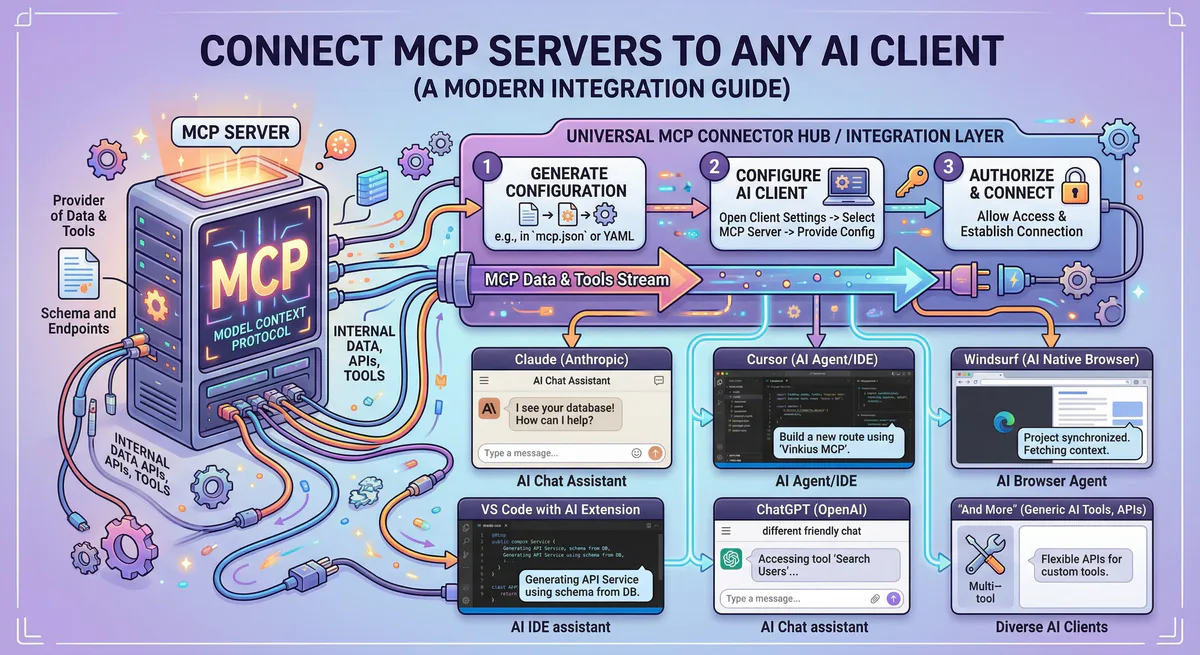
Instead of spawning a local node process with API keys and npx commands, you simply provide the single Vinkius endpoint. The gateway handles the Streamable HTTP transport natively.
{
  "mcpServers": {
    "vinkius-github": {
      "url": "https://edge.vinkius.com/YOUR_VINKIUS_TOKEN/github"
    }
  }
}
Notice the pattern: one URL, no API keys in the config, no environment variables, no installation commands. The Vinkius AI Gateway holds the credential in an encrypted vault, auto-negotiates the transport protocol, and secures the payload. One URL. Zero configuration.
Frequently Asked Questions (FAQ)
Developers frequently ask about transport mix capability, latency performance penalties, server conversion steps, and execution scaling. A managed gateway routes queries over secure Server-Sent Events with under five milliseconds of serialization latency, and supports running local stdio filesystem tools alongside remote database integrations without network conflicts.
Can I run HTTP and Stdio transport simultaneously?
Yes. Major AI clients (like Cursor, VS Code, or Claude Desktop) natively handle mixed environments. You can run one local MCP server configured via stdio for reading your local laptop filesystem, while simultaneously connecting to a remote Vinkius-hosted MCP server for querying external databases.
Does remote hosting cause significant latency?
The Model Context Protocol adds minimal overhead to a standard HTTP request. The vast majority of latency experienced during an agent tool call comes directly from the upstream API (the service the MCP server is communicating with), not the transport protocol binding them.
Do I need to rewrite my custom servers to connect them?
No. If your custom server acts according to the official MCP Specification, it can be attached. However, moving forward, engineering teams generally prefer utilizing the Vurb.ts framework to ensure their server outputs are explicitly structured for LLM perception (MVA).
Conclusion
Exiting the experimental sandbox phase requires organizations to secure their agent integrations before deploying autonomous swarms across production databases. Using a managed gateway to route Model Context Protocol requests lets development teams focus on building core agent capabilities instead of debugging load balancers, session dropouts, and raw network protocols.
We are officially exiting the sandbox phase of AI agents. Generative completions were an incredible proof of concept, but the true transformative power of Large Language Models lies in their ability to act autonomously upon external systems securely.
Deploying an agent to localhost is step one. Step two is deploying it scalably across your entire ecosystem. Relying on an enterprise AI Gateway to govern your MCP server hosting ensures that you focus on building agent capabilities instead of wasting cycles managing load balancers, SSE dropouts, and raw HTTP routing.
Ready to securely connect your agents to production data? Browse the complete catalog of 2,000+ governed tools at Vinkius.com/en.

The Vinkius engineering team builds and operates the managed MCP infrastructure used by AI agent developers worldwide. Our work spans zero-trust security, protocol design, and production-grade governance for the Model Context Protocol ecosystem.
Your agents need tools. We make them safe.
Pick an MCP server from the catalog. Subscribe. Copy the URL. Paste it into Claude, Cursor, or any client. One URL — DLP, audit trail, and kill switch included.
V8 sandbox isolation · Semantic DLP · Cryptographic audit trail · Emergency kill switch