Your accountant asks for “the last 3 months of expense data categorized by type.” You open QuickBooks, navigate to reports, set the date range, export to CSV, format it in Excel, email it over, wait for follow-up questions, run another report, and send that too.
What could be a 10-second conversation turns into a 45-minute exercise. And it happens every week.
According to a 2024 study by Sage, finance teams spend 42% of their time on manual data gathering and report preparation — time that could be spent on analysis, strategy, and decision-making. The data already exists in your accounting platform. The problem is extracting it.
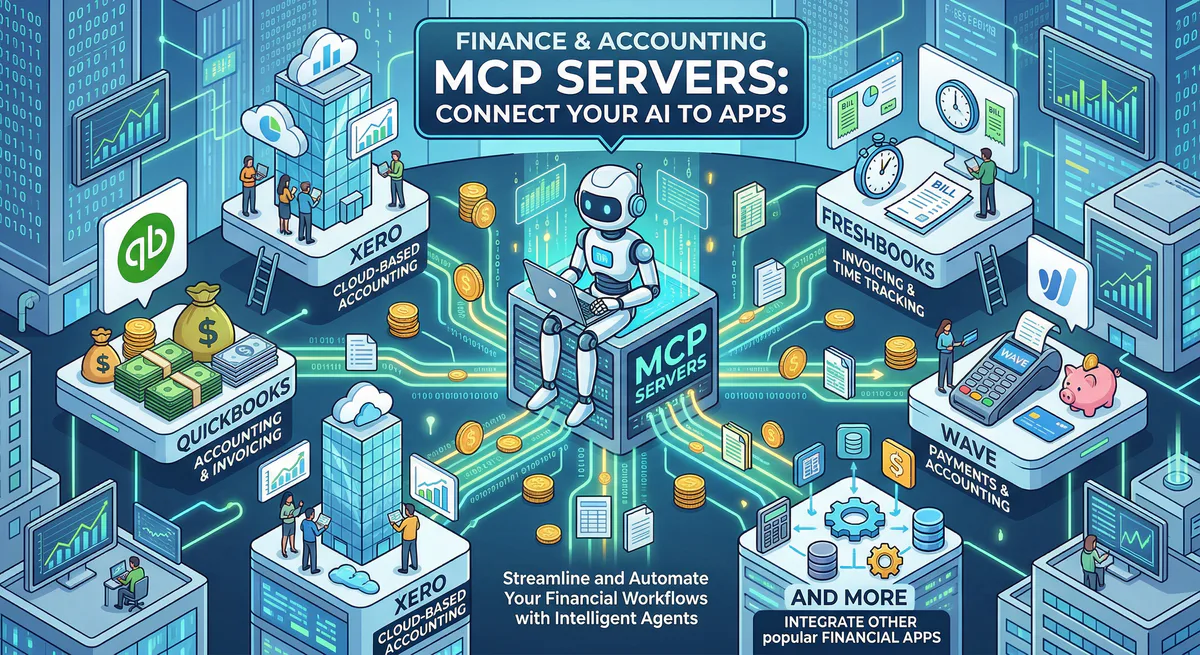
MCP servers make your accounting data conversational. When your AI has secure, governed access to QuickBooks, Xero, or FreshBooks, every financial question becomes a prompt:
“What’s our P&L for Q1, and how does it compare to the same quarter last year? Call out any expense categories that grew more than 20%.”
The AI queries your accounting platform, pulls the reports, computes the comparison, and flags the growth areas — work that previously required an analyst, a spreadsheet, and a meeting.
In this guide, we cover every finance and accounting MCP server in our catalog, the real workflows each one unlocks, and why financial data absolutely requires a managed, DLP-protected gateway.
Why Financial Data Demands the Strongest Security
Financial data is YMYL (Your Money or Your Life) in its purest form. Your accounting platform contains bank account numbers, tax identification numbers, vendor payment details, employee reimbursement records with personal bank accounts, and customer billing information.
Under SOX compliance, PCI-DSS, and general fiduciary duty, unauthorized exposure of this data can trigger regulatory penalties, legal liability, and loss of customer trust.
When your AI accesses financial tools through our gateway, our DLP engine automatically processes every response:
- Bank account numbers → automatically redacted
- Tax IDs / EINs / SSNs → automatically redacted
- Credit card numbers → automatically redacted
- Aggregate financial data (revenue totals, expense categories) → preserved — this is the operational data you need
- Individual transaction details → configurable per your DLP rules
The result: your team gets the financial intelligence they need, without sensitive payment details ever reaching the AI model.
Accounting Platforms
QuickBooks Online MCP
QuickBooks Online is the most popular small business accounting software in the world, with over 7 million subscribers. It handles invoicing, expenses, payroll, tax preparation, and financial reporting for businesses from sole proprietors to mid-market companies.
What your AI can do once connected:
- Financial statements — pull P&L, balance sheet, cash flow, and trial balance for any period
- Expense analysis — categorize, summarize, and trend expenses by vendor, category, or department
- Accounts receivable — outstanding invoices, overdue payments, customer aging, and collection priorities
- Accounts payable — upcoming bills, vendor balances, and payment scheduling
- Cash flow intelligence — current position, projected cash flow, and cash runway calculations
Real-world workflows this unlocks:
Month-end close acceleration. Your controller asks: “Give me the P&L for March and call out any expense categories that are more than 10% higher than February.” The AI pulls both months from QuickBooks, computes the comparison, and responds: “March total expenses: $145K (+8% overall). Categories with >10% increase: Marketing ($23K → $28K, +22% — correlates with Q1 campaign push). Travel ($4K → $6.5K, +63% — trade show in March). Software subscriptions ($12K → $14K, +17% — new Figma licenses).”
Cash flow forecasting. Your CFO asks before a board meeting: “Based on outstanding AR and scheduled AP, what’s our projected cash position at the end of the month?” The AI checks current bank balance, adds expected receivables collection (with aging-based probability), subtracts scheduled payables, and estimates: “Current: $340K. Expected AR collections: $95K (80% probability). Scheduled AP: $78K. Projected month-end: $357K.”
Invoice follow-up prioritization. You ask: “Show me all overdue invoices over $500, sorted by days overdue.” The AI returns: “12 invoices, total $47K overdue. Highest: $15K from Acme Corp (42 days overdue, last follow-up 14 days ago). Second: $8K from Beta LLC (28 days overdue, no follow-up sent).”
Example prompts:
- “What’s our P&L for Q1 this year vs. Q1 last year?”
- “Show me all overdue invoices over $500 sorted by days overdue”
- “What are our top 5 expense categories this month?”
- “What’s our current cash position and projected month-end balance?”
- “Which vendors have the largest outstanding balances?”
Connect: QuickBooks Online MCP in our App Catalog →
Xero MCP
Xero is the cloud accounting platform with over 3.95 million subscribers worldwide — the market leader in the UK, Australia, and New Zealand, and growing rapidly in the US. It’s known for its clean interface, extensive app ecosystem, and strong bank reconciliation features.
What your AI can do once connected:
- Financial reports — P&L, balance sheet, cash flow, aged receivables, and aged payables
- Bank transactions — search and categorize transactions, check reconciliation status
- Invoice management — outstanding invoices, payment status, and customer payment patterns
- Multi-currency support — cross-currency reporting for international businesses
- Budget vs. actual — variance analysis against defined budgets
Real-world workflows this unlocks:
Bank reconciliation oversight. Your bookkeeper asks: “How many unreconciled transactions do we have, and what’s the total?” The AI checks Xero bank feeds: “34 unreconciled transactions, total: $12,400. Oldest: 12 days. 12 are potential matches (auto-suggested). 22 need manual review.”
Accounts receivable aging. You ask: “What’s our accounts receivable aging breakdown, and which clients have invoices over 60 days?” The AI pulls aging data: “Current: $45K. 1-30 days: $23K. 31-60 days: $12K. 60+ days: $8K (3 clients: Gamma Inc $4.2K, Delta Co $2.1K, Epsilon Ltd $1.7K).”
Example prompts:
- “What’s our accounts receivable aging breakdown?”
- “Show me unreconciled bank transactions from this month”
- “How much has our payroll expense grown this quarter?”
- “What’s our current cash position across all bank accounts?”
- “Compare budget vs. actual expenses by category for Q1”
Connect: Xero MCP in our App Catalog →
FreshBooks MCP
FreshBooks combines accounting with time tracking and project management — making it ideal for service businesses, freelancers, and agencies that bill by the hour or project.
What your AI can do once connected:
- Client invoicing — outstanding invoices, payment status, and collection rates
- Time tracking — billable hours by client, project, or team member
- Project profitability — revenue vs. cost for each project with margin analysis
- Expense management — categorized expenses, receipt tracking, and reimbursement status
Real-world workflow: Your agency owner asks: “Which clients have unpaid invoices over 30 days, and how much billable time are we currently logging for each of them?” The AI cross-references AR data with time tracking: “Client A: $12K unpaid (35 days), 47 hours logged this month. Client B: $4K unpaid (60 days), 0 hours logged (inactive — consider pausing work). Client C: $7K unpaid (45 days), 28 hours logged.”
Connect: FreshBooks MCP in our App Catalog →
Wave Financial MCP / Zoho Books MCP
- Wave — Free accounting for small businesses. Invoices, receipts, and basic reporting. Connect →
- Zoho Books — Multi-currency, multi-entity accounting with deep Zoho ecosystem integration. Connect →
Expense & Corporate Cards
Brex MCP / Spendesk MCP
Corporate card management and expense tracking for growing companies:
- Brex — Track corporate card spending by department, check budget utilization, flag unusual charges. Connect →
- Spendesk — Expense claims, approval workflows, and budget compliance monitoring. Connect →
Revenue & Billing
Stripe MCP / Chargebee MCP / Recurly MCP
Subscription billing and recurring revenue analytics:
- Stripe — MRR, subscription metrics, failed payments, refunds, and revenue trends. Connect →
- Chargebee — Subscription lifecycle, churn metrics, revenue recognition, dunning. Connect →
- Recurly — Subscription billing, failed payment recovery, and revenue analytics. Connect →
The Multi-Tool Finance Workflow
| Question | Tool | What it pulls |
|---|---|---|
| ”What’s our P&L?” | QuickBooks/Xero MCP | Income statement for any period |
| ”Who owes us money?” | QuickBooks/Xero MCP | AR aging with client details |
| ”What’s our card spend?” | Brex/Spendesk MCP | Corporate card transactions |
| ”What’s our MRR?” | Stripe/Chargebee MCP | Recurring revenue metrics |
| ”Are we on budget?” | Xero MCP | Budget vs. actual variance |
| ”What’s our cash runway?” | QuickBooks MCP | Cash position + projections |
Internal Linking: Related Cluster Guides
- E-Commerce MCP Servers — Shopify, WooCommerce, Square
- HR MCP Servers — Gusto payroll, Deel global payments
- CRM & Sales MCP Servers — Revenue pipeline data
- Security MCP Servers — SOX compliance, audit readiness
- The Complete MCP Server Directory — 2,500+ apps
How to Connect
- Go to our App Catalog → Search → Subscribe → Copy URL → Paste into Claude, Cursor, or ChatGPT
Time: under 2 minutes per tool.
Start Building Your AI Finance Stack
Browse all finance MCP servers →
Every financial question your team asks deserves a 5-second answer — with a full audit trail and automatic DLP protection for sensitive data. These connections make that possible.
Need a finance tool not in the catalog? Email support@vinkius.com.
Your agents need tools. We make them safe.
Pick an MCP server from the catalog. Subscribe. Copy the URL. Paste it into Claude, Cursor, or any client. One URL — DLP, audit trail, and kill switch included.
V8 sandbox isolation · Semantic DLP · Cryptographic audit trail · Emergency kill switch