CRM & Sales MCP Servers: Connect Your AI to Salesforce, HubSpot, Pipedrive, Close, and More
Managing a sales pipeline requires constant data navigation. Sales representatives, managers, and operations teams spend hours digging through legacy relational schemas, building manual Excel exports, and copying data between dashboards just to answer basic pipeline status questions.
According to market research, sales representatives spend less than a third of their day actively selling. The remaining hours are consumed by CRM administration, manually loggings calls, and preparing weekly forecast updates.
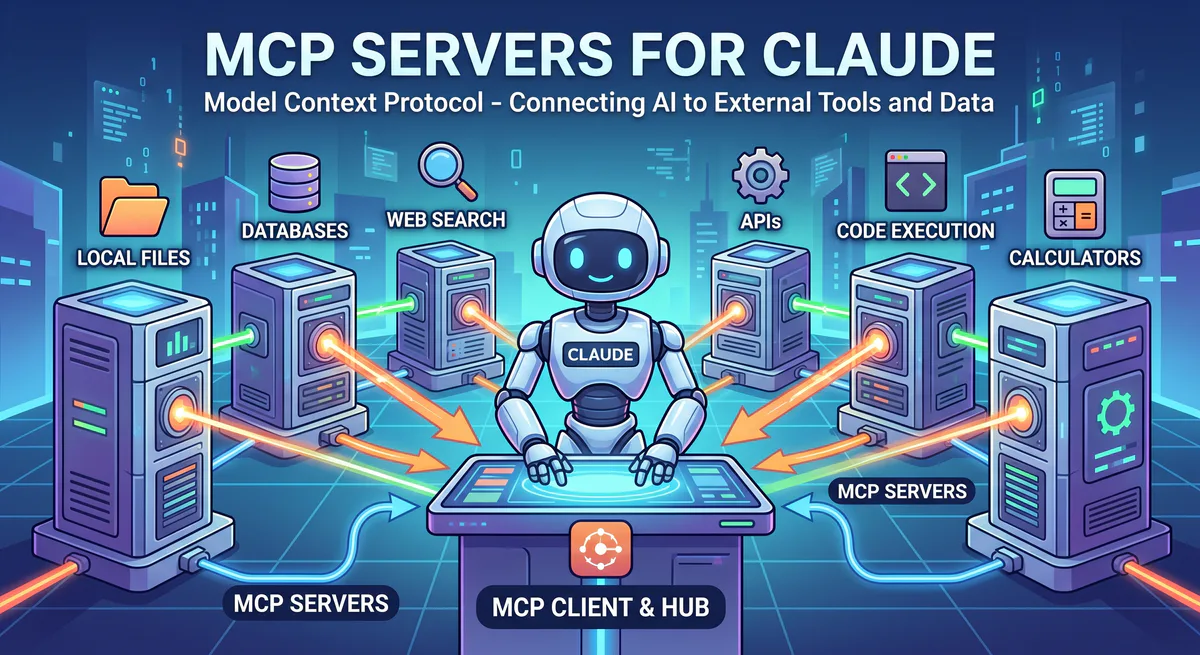
The Model Context Protocol (MCP) solves this administrative overhead. By connecting customer databases directly to LLMs through secure tool definitions, agents can query contacts, analyze deal velocity, and update pipeline stages in seconds. Rather than navigating nested interfaces, users interact with their customer data using natural language, significantly reducing reporting cycles and administrative friction.
This guide provides a detailed technical directory of CRM and sales MCP servers, analyzing their API capabilities, data integration patterns, and security guardrails required to protect commercially sensitive assets.
Enterprise CRM
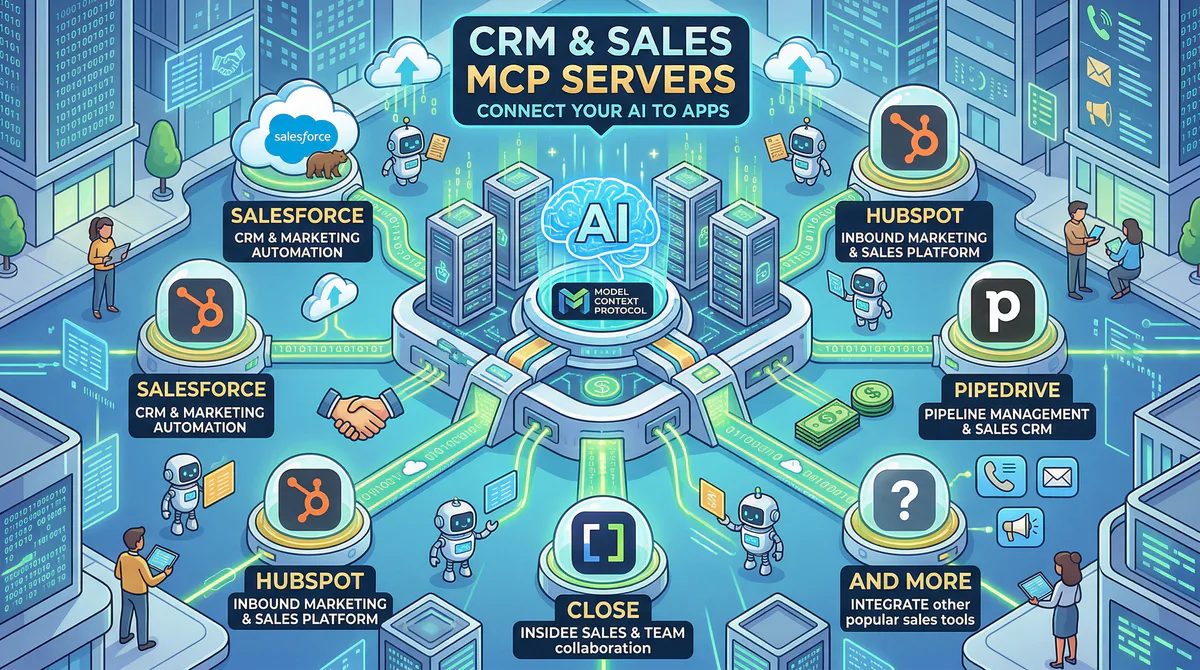
Enterprise CRM MCP servers translate complex database query mechanisms like SOQL or nested REST endpoints into plain-language tools. This allows AI agents to directly retrieve opportunities, filter accounts, aggregate pipelines, and view customer support tickets without requiring sales representatives to build manual spreadsheets.
Salesforce MCP
Salesforce represents the largest relational customer database for enterprise organizations. The platform’s scale makes manual reporting slow and complex, particularly when dealing with custom objects, record associations, and nested pipelines across Sales, Service, and Marketing Clouds.
The Salesforce MCP server acts as an intelligent translator between the LLM and the Salesforce REST and SOAP APIs. Instead of requiring users or developers to write complex Salesforce Object Query Language (SOQL) strings, the MCP server exposes tools that allow the agent to inspect database schemas, build parameterized queries, and return structured JSON responses.
Core API capabilities exposed by the Salesforce MCP server:
- SOQL Query Execution: The
query_soqltool permits the agent to execute read-only queries against standard and custom database tables, automatically handling pagination boundaries and relationship joins. - Metadata Inspection: The
describe_objecttool allows the agent to inspect field names, data types, and picklist values, ensuring queries are built with accurate field references even when custom schemas are present. - Record Mutation: Specialized write tools (
create_record,update_record) let agents modify opportunity stages, log tasks, or update account details, enforcing Salesforce validation rules at the API level. - Global Search: The
search_sosltool provides text-based searching across multiple objects simultaneously, returning relevant records, contacts, and leads matching specific query strings.
Real-world execution patterns:
Automated Pipeline Forecasting: When an operations manager asks to forecast Q2 performance, the agent calls the query_soql tool to pull all opportunities closing in the current quarter, aggregates their estimated value multiplied by stage probabilities, and identifies anomalies where close dates are past due.
// Example agent query response from Salesforce MCP
{
  "total_deals": 42,
  "aggregated_pipeline": 4200000.00,
  "weighted_forecast": 2980000.00,
  "at_risk_opportunities": [
    {
      "id": "0068W00001Zabc1QAB",
      "name": "Acme Corp Expansion",
      "value": 150000.00,
      "stage": "Negotiation",
      "last_activity": "2026-05-10"
    }
  ]
}
Territory Conflict Resolution: The agent can search contacts across regions to verify owner assignments, identifying duplicate records or accounts that require reallocation based on active territory zip codes.
Example prompts:
- “Find all opportunities over $100,000 where the close date is this month but no activity has been logged in 10 days”
- “List standard fields and custom properties on the Opportunity object”
- “Log a new task for Account ‘Acme Corp’ titled ‘Send updated SLA proposal’ due by Friday”
- “Analyze win-loss ratios for enterprise tier accounts over the last two quarters”
Connect: Salesforce MCP in our App Catalog →
Specialized modules:
- Sales Cloud MCP — Opportunities, lead routing, forecast tables
- Service Cloud MCP — Support cases, knowledge bases, SLA tracking
- Marketing Cloud MCP — Campaign tracking, customer journey analytics
HubSpot CRM MCP
HubSpot organizes customer data around contacts, companies, deals, tickets, and custom objects, linking them through a strict association graph. While its user interface is simpler than legacy systems, operations teams still face challenges when trying to query cross-object relations and campaign attribution.
The HubSpot CRM MCP server resolves these relationships. It leverages HubSpot’s Search API (/crm/v3/objects/contacts/search) and Association API to let the AI agent traverse the customer graph. When an agent queries a deal, the server automatically fetches associated contacts, company records, and active support tickets in a unified context, bypassing the need for manual API chaining.
Core API capabilities exposed by the HubSpot MCP server:
- Graph Association Traversal: The
get_associated_recordstool retrieves related entities (e.g., finding the primary contact and company billing address for an active deal ID) in a single request. - Attribution Correlation: The
query_marketing_eventstool exposes email click rates, form submissions, and page views, letting the agent match marketing touchpoints directly to closed-won revenue. - Engagement History Fetching: The
list_engagementstool returns call notes, email logs, and calendar meetings associated with any record, allowing the AI to summarize the state of a customer relationship.
Real-world execution patterns:
Account Health Checks: Customer success agents can ask for an account overview before a renewal call. The MCP server queries the deal database to verify contract values, fetches the ticketing system to identify unresolved technical bugs, and checks marketing engagement to verify active product utilization.
// HubSpot MCP health check output structure
{
  "company_name": "Globex Corp",
  "active_contract_value": 75000.00,
  "open_tickets": [
    {
      "id": "987654",
      "subject": "SSO integration failing on Firefox",
      "status": "In Progress",
      "priority": "High"
    }
  ],
  "last_email_interaction": {
    "subject": "Re: Renewal details",
    "timestamp": "2026-05-24T14:32:00Z"
  }
}
Marketing Campaign Audits: Growth teams can evaluate lead source metrics by asking the agent to correlate new deal values with specific UTM campaigns, exposing ROI without requiring custom report builders.
Example prompts:
- “Summarize our interaction history with Globex Corp over the last 30 days”
- “List all deals in the ‘Contract Sent’ stage and show their associated company details”
- “Which marketing sources drove the highest average contract values this quarter?”
- “Find contacts associated with deals that are currently stuck in the validation stage”
Connect: HubSpot CRM Full MCP in our App Catalog →
Specialized modules:
- Sales Hub MCP — Deal pipelines, tasks, sales sequences
- Marketing Hub MCP — Inbound forms, marketing campaigns, lead scoring
- Service Hub MCP — Support tickets, feedback surveys, SLA logs
- Analytics MCP — Attribution reports, traffic metrics, page performance
Mid-Market CRM
Mid-market CRM MCP connectors bridge sales pipelines and activity registries for platforms designed for inside sales reps. By wrapping API structures, agents can track deal ages, calculate stage conversions, schedule follow-ups, and pull historical lead timelines using natural language.
Pipedrive MCP
Pipedrive’s design focuses on visual activity-based selling. Although the dashboard is intuitive, identifying deal rot, calculating sales cycle duration, and tracking team tasks across dozens of pipelines still requires custom reporting filters.
The Pipedrive MCP server wraps the Pipedrive REST API, exposing tools to query deals, activities, filters, and pipeline stages. It enables the AI agent to calculate deal metrics locally and check pipeline health programmatically.
Core API capabilities:
- Pipeline Stage Queries: The
get_dealstool allows filtering by pipeline IDs and stage names, exposing fields like expected close date and last change time. - Activity Scheduler: The
create_activitytool logs calls, meetings, and emails directly to the contact timeline. - Deal Rot Identification: The server retrieves deal update timestamps, letting the agent cross-reference active deals against defined inactivity thresholds.
Real-world workflow: A sales rep can request a morning briefing: “Show my agenda, identify high-priority deals closing this week, and flag any opportunities that have remained in the same stage for more than 14 days.” The agent queries Pipedrive and lists the tasks, saving the rep from manual dashboard checks.
Example prompts:
- “Which active deals in the ‘Qualified’ stage have had no updates in 14 days?”
- “List all activities scheduled for my team today”
- “Create a task to follow up with John Doe tomorrow at 10 AM”
- “Calculate the average time a deal spends in the ‘Negotiation’ stage before closing”
Connect: Pipedrive CRM Full MCP in our App Catalog →
Close MCP
Close is optimized for inside sales teams prioritizing high-volume calling and email outreach. The Close MCP server exposes leads, opportunities, phone logs, and email sequence statuses.
Core API capabilities:
- Sequence Enrollment: Allows the agent to enroll leads in specific email sequence IDs or pause active outreach based on inbound responses.
- Activity Metrics: Exposes phone call durations, recording links, and email threads for direct pipeline summaries.
Example prompts:
- “Find leads that opened our last email sequence but haven’t received a phone call”
- “Which leads are currently enrolled in sequence ‘Outbound Q2’?”
Connect: Close MCP in our App Catalog →
Attio MCP
Attio uses a highly flexible, object-based architecture that dynamically enriches relationship data. Unlike static CRMs, Attio relies on custom schemas, list definitions, and attributes.
The Attio MCP server reads these custom schemas on startup via the Attio Attributes API (/v2/attributes). This allows the AI agent to understand custom fields without manual configuration, exposing relationship lists and data records directly.
Example prompts:
- “Show all custom attributes defined on the Company object”
- “List companies in our ‘Series A Funding’ view sorted by estimated revenue”
Connect: Attio MCP in our App Catalog →
Copper CRM MCP / Freshsales MCP / Zoho CRM MCP
These mid-market CRM integrations provide standard REST wrappers, exposing leads, accounts, contacts, opportunities, and task management systems.
Connect: Copper · Freshsales · Zoho CRM
Sales Intelligence & Outreach
Sales intelligence MCP integrations allow agents to search prospect databases, run enrichment filters, and analyze cold sequence metrics. By linking conversation tools like Gong or Apollo to LLM agents, outbound reps can identify warm prospects and automate personalized follow-ups.
Apollo MCP
Apollo.io combines a database of over 270 million contacts with automated sequencing tools. The Apollo MCP server wraps the Search and Enrichment APIs, enabling outbound agents to identify prospects and analyze sequence performance.
Core API capabilities:
- Prospect Search: Filters contacts by job title, location, company size, revenue, and active technology stack.
- Contact Enrichment: Retrieves verified email addresses, direct phone numbers, and company metadata for specific target domains.
- Sequence Analytics: Exposes open rates, reply rates, bounce rates, and overall meeting booking metrics across active campaigns.
Real-world workflow: Outbound teams can automate lead lists: “Find VP of Engineering contacts in software companies with 100-500 employees using React, enrich their email addresses, and list their active sequence statuses.” The agent queries the Apollo API, processes the filters, and returns a clean prospecting list.
Example prompts:
- “Find engineering directors at SaaS companies in California using AWS”
- “Which outbound sequences have the highest click-to-meeting conversion rates?”
- “Enrich contact information for the domain ‘vinkius.com’”
Connect: Apollo MCP in our App Catalog →
Gong MCP
Gong records and analyzes sales calls to deliver customer interaction insights. The Gong MCP server exposes call transcripts, interaction notes, and tracking metrics.
Core API capabilities:
- Transcript Search: Allows the agent to query transcripts for specific competitor names, pricing objections, or feature requests.
- Interaction Analytics: Exposes metrics like talk-to-listen ratios and question counts to help analyze call quality.
Example prompts:
- “Search call transcripts from last week for mentions of our competitor Vinkius”
- “Summarize the objections raised in the call with Acme Corp on Monday”
Connect: Gong MCP · Outreach MCP · Amplemarket MCP · Lusha MCP · Hunter MCP
The Multi-Tool Sales Workflow
A multi-tool sales workflow coordinates data retrieval across CRMs, outreach campaigns, and call transcription databases. By combining tools via a governed edge, AI agents can cross-reference pipeline values, review deal objections, and target new leads in a unified flow.
In a standard sales environment, data resides in isolated platforms. An opportunity is in Salesforce, its email sequence history is in Apollo, and call notes are in Gong. An agent using multiple MCP servers can query these tools in a single execution loop, building a comprehensive view of the customer journey.
| Use Case | Active MCP Tools | Data Retrieved | Agent Action |
|---|---|---|---|
| Pipeline Risk Analysis | Salesforce MCP + Gong MCP | Stalled deal list + call objections | Identifies price sensitivity in transcripts, suggesting custom proposals. |
| Outreach Optimization | Apollo MCP + HubSpot MCP | Sequence click rates + account status | Moves engaged cold prospects to a warm sales pipeline automatically. |
| Renewal Preparation | HubSpot MCP + Jira MCP | Customer contract value + open bug tickets | Alerts accounts team if a client with a renewal has unresolved high-priority bugs. |
| Sales Enablement Audit | Gong MCP + Pipedrive MCP | Call competitor mentions + lost deal stages | Identifies competitor impact on pipeline loss rates across specific sales stages. |
Why Sales Data Needs Maximum Protection
CRM data requires edge-level governance because pipeline databases contain highly sensitive customer assets, revenue forecasts, and contract logs. Embodying zero-trust principles, a security gateway limits bulk extraction, redacts PII dynamically, and tracks access logs in real-time.
Connecting customer databases directly to public LLMs introduces critical security vulnerabilities:
- Indirect Prompt Injection: A malicious inbound email or support ticket can contain hidden prompts instructing the agent to delete records, modify opportunity values, or leak customer details.
- Bulk Data Exfiltration: An agent could be prompted to export the entire contact database, leading to data breaches.
- Excessive API Permissions: If the agent runs with unrestricted database credentials, it can execute write operations without authorization.
To mitigate these risks, organizations must deploy an intermediate security gateway that enforces strict access limits, audits queries, and sanitizes outputs before they enter the LLM context.
Custom Integrations with Vurb.ts
Custom CRM integrations require declarative schema presenters to filter data before it reaches the AI model. Implementing runtime schemas ensures sensitive fields like PII or internal margins are removed in memory, preventing downstream context leaks.
When developing custom CRM adapters, developers must prevent raw database payloads from spilling into the LLM context window. The open-source Vurb.ts framework enforces strict, declarative egress schemas. Presenters act as an in-memory firewall, stripping out undeclared fields before the data is returned to the agent.
import { createServer, createTool, createPresenter, t } from '@vurb/core';

// Declarative egress presenter to prevent PII and margin leaks
const SecureLeadPresenter = createPresenter('SecureLead')
  .schema({
    id: t.string(),
    company_name: t.string(),
    deal_stage: t.string(),
    estimated_revenue: t.number(),
    // Excluded fields: raw_phone, billing_details, internal_cost_margin
  });

const server = createServer({
  name: 'crm-connector',
  version: '1.0.0',
});

server.addTool(
  createTool('retrieve_lead')
    .description('Retrieves deal information with strict egress filtering')
    .input({
      leadId: {
        type: 'string',
        description: 'The unique lead identifier'
      }
    })
    .handler(async ({ leadId }) => {
      // Fetch lead from custom database client
      const rawLead = await dbClient.query('SELECT * FROM leads WHERE id = ?', [leadId]);

      if (!rawLead) {
        throw new Error(`Lead record not found for ID: ${leadId}`);
      }

      // Safe serialization ensures only declared schema fields leave the server
      return SecureLeadPresenter.render(rawLead);
    })
);
By specifying schema limitations, you prevent the LLM from accessing unapproved database fields, ensuring secure data processing.
Internal Linking: Related Cluster Guides
Read our industry-specific directory guides to connect business tools to your workspace. These guides provide detailed setup instructions, catalog overviews, and configuration steps for popular software categories.
- Marketing MCP Servers — Connect SurferSEO, Jasper, and Semrush for content operations.
- E-Commerce MCP Servers — Bridge inventory, orders, and customer logs via Shopify and WooCommerce.
- Finance MCP Servers — Interface with QuickBooks, Xero, and billing gateways.
- Customer Support MCP Servers — Connect ticketing systems like Zendesk and Intercom to support agents.
- The Complete MCP Server Directory — Browse over 2,500 application connectors in our app catalog.
How to Connect
To connect your CRM to an AI workspace, browse the app catalog, subscribe to your platform, and configure the connection URL. The integration completes in under two minutes across popular developer tools and desktop clients.
- Visit the Vinkius App Catalog to select your CRM server.
- Select your platform and click “Subscribe” to generate your access credentials.
- Copy the secure connection endpoint URL.
- Paste the URL into your agent configurations (Claude Desktop config, Cursor Settings, or ChatGPT developer tools).
The connection is established immediately, allowing your agent to interface with your CRM.
Start Building Your AI Sales Stack
Optimize your pipeline workflow by connecting CRM, sales engagement, and conversation intelligence tools to your AI agent. Real-time metrics and natural language forecasts ensure reps focus on closing deals rather than building reports.
Browse all CRM & sales MCP servers →
Connecting your CRM, sequence tools, and conversation records to your AI agent replaces manual reporting with automated database queries. Your sales operations and reps can focus on pipeline progression, knowing relationship details are accessible via simple queries.
If you need custom connectors or integrations not currently listed in our catalog, reach out to our team at support@vinkius.com.

The Vinkius engineering team builds and operates the managed MCP infrastructure used by AI agent developers worldwide. Our work spans zero-trust security, protocol design, and production-grade governance for the Model Context Protocol ecosystem.
Your agents need tools. We make them safe.
Pick an MCP server from the catalog. Subscribe. Copy the URL. Paste it into Claude, Cursor, or any client. One URL — DLP, audit trail, and kill switch included.
V8 sandbox isolation · Semantic DLP · Cryptographic audit trail · Emergency kill switch