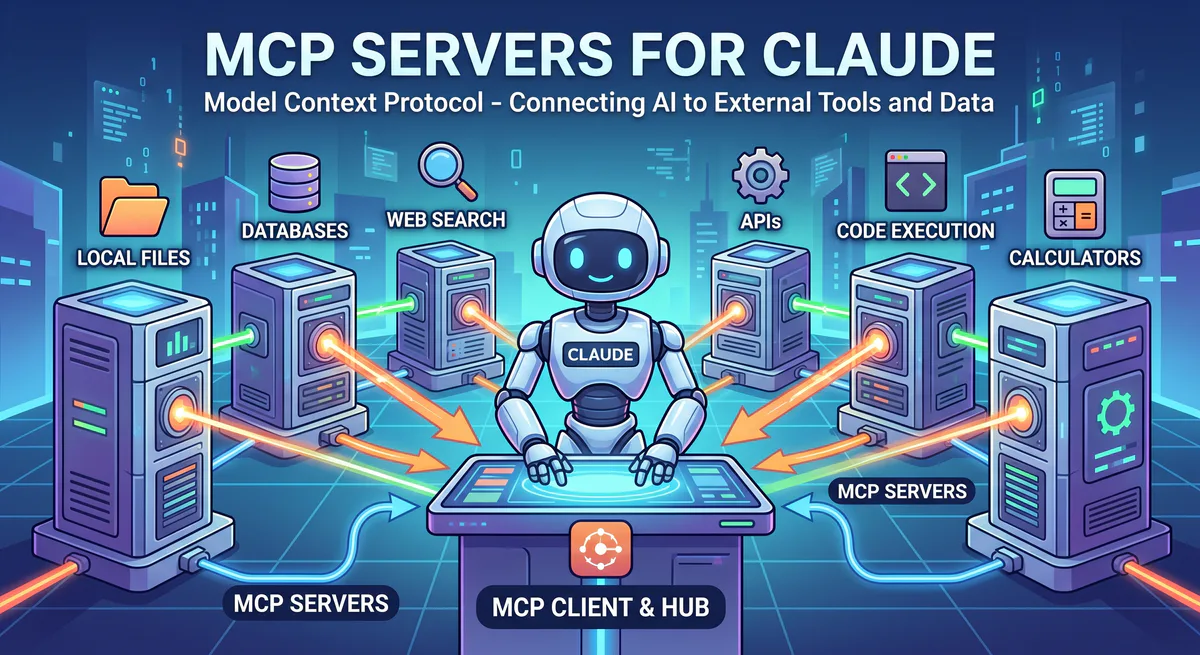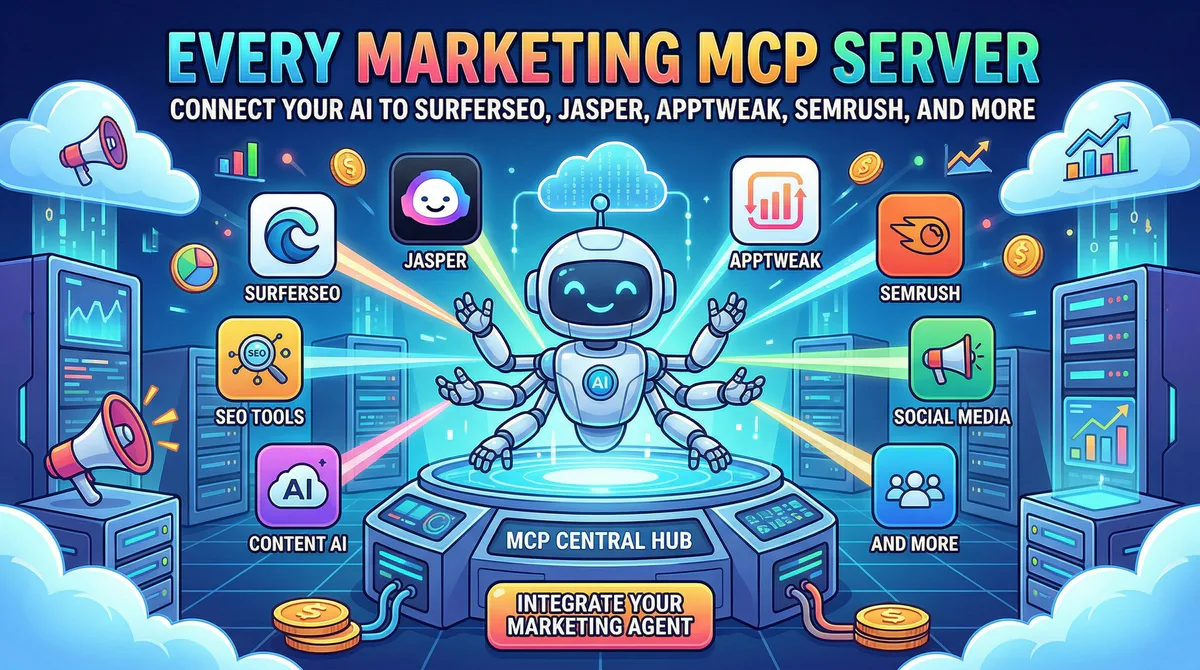
Marketing teams use 12 tools on average. Each one holds a piece of the picture — keyword rankings in Semrush, content scores in SurferSEO, app store performance in AppTweak, campaign metrics in Google Ads, review sentiment in AppFollow. Getting a complete view means opening a dozen tabs, exporting CSVs, and building slide decks that are already outdated by the time the meeting starts.
What if your AI could pull data from all of them — and you just asked in plain English?
That’s exactly what these MCP servers do. Each one creates a secure bridge between your AI assistant and a specific marketing platform. No API keys to manage, no code to write, no data engineering required. Subscribe, connect, ask.
In this guide, we’ll cover every marketing MCP server in our catalog — what each one lets your AI do, the real workflows it unlocks for your team, and how connecting through our managed gateway protects your credentials and data.
The Marketing Data Fragmentation Problem
HubSpot’s 2025 State of Marketing report found that 65% of marketers say their biggest challenge is connecting data across platforms. The average marketing team switches between tools 1,100 times per day — a phenomenon researchers call “context switching tax” that costs an estimated 40% of productive time.
MCP servers eliminate this tax. When your AI has direct access to your marketing tools, every cross-platform question becomes a single prompt:
- “Compare our organic traffic growth in Semrush with our content optimization scores in SurferSEO — are the pages we optimized actually ranking higher?”
- “Pull our Pinterest Ads ROAS this month, then check if the same products are trending in our AppTweak ASO data.”
No exports. No tab-switching. No waiting for the analytics team to build a dashboard.
Content & SEO Optimization
SurferSEO MCP
SurferSEO is the content optimization platform used by over 150,000 content teams to analyze what makes pages rank and apply those insights to their own content. It scores your content against top-ranking competitors and provides real-time recommendations on keyword usage, heading structure, word count, NLP terms, and readability.
What your AI can do once connected:
- Check content scores for any page or draft — the real-time optimization score that SurferSEO calculates based on competitor analysis
- Get optimization suggestions — missing keywords, heading gaps, word count recommendations, and NLP term coverage
- Competitor comparison — see how your content stacks up against the top 3, 5, or 10 ranking pages for a target keyword
- Track performance over time — monitor how content scores change after updates
Real-world workflows this unlocks:
Content audit at scale. Your content manager asks: “Which of our blog posts have a SurferSEO content score below 60?” Instead of opening SurferSEO, checking each post individually, and building a spreadsheet, the AI queries the entire content library and returns a list sorted by score. Now you know exactly which posts need optimization.
Real-time writing feedback. A content writer asks: “I’m writing about ‘AI integration platforms.’ What keywords are the top-ranking pages using that I should include?” The AI pulls SurferSEO’s NLP term analysis for that query and returns a prioritized list: “The top 3 pages all mention ‘API connector,’ ‘no-code integration,’ ‘enterprise security,’ and ‘webhook automation’ — you’re missing all four.”
Content strategy prioritization. Your SEO lead asks: “Which of our optimized pages improved their ranking in the last 30 days?” The AI cross-references content score changes with ranking data (if you also connect Semrush or Ahrefs) and shows which optimizations actually moved the needle.
Example prompts:
- “What’s the content score for our latest blog post about MCP servers?”
- “Which keywords are we missing compared to the top 3 ranking pages for ‘ai app builder’?”
- “Suggest heading structure changes to improve the score from 74 to 85+”
- “List all our content with scores below 50 — sorted by organic traffic potential”
Connect: SurferSEO MCP in our App Catalog →
Jasper MCP
Jasper is the AI content platform purpose-built for marketing teams, used by over 100,000 businesses including IBM, Morningstar, and Under Armour. Unlike general-purpose AI tools, Jasper stores your brand voice, tone guidelines, product knowledge, and campaign context — making it a marketing memory system that your broader AI stack should be able to reference.
What your AI can do once connected:
- Access brand voice settings — the tone, style, and vocabulary rules your team defined in Jasper’s Brand Voice feature
- Retrieve generated campaigns — past ad copy, email drafts, social posts, and blog outlines your team created
- Pull brand knowledge — product descriptions, competitive positioning, and messaging frameworks stored in Jasper’s knowledge base
- Reference campaign history — what messaging worked before, what was A/B tested, what performed best
Real-world workflows this unlocks:
Cross-platform brand consistency. When you write content in Claude or Cursor (not Jasper), you still want your brand voice applied. By connecting Jasper MCP, you can ask: “Write this product announcement using our brand voice guidelines from Jasper.” The AI reads your Jasper Brand Voice — “professional but warm, avoid buzzwords, always lead with the customer benefit” — and applies it to content generated outside Jasper.
Campaign intelligence. Your marketing director asks: “What messaging did we use for the Q4 product launch? Pull the email subject lines and ad headlines.” The AI retrieves the campaign assets from Jasper, summarizes the messaging angles, and notes which ones had the highest engagement.
Example prompts:
- “What brand voice guidelines do we have set up in Jasper?”
- “Pull the copy from our last email campaign and suggest A/B test variations”
- “Generate a product description for our new plan using the brand voice from Jasper”
- “What messaging angles did we test for the spring campaign?”
Connect: Jasper MCP in our App Catalog →
Semrush MCP
Semrush is the all-in-one SEO and competitive intelligence platform used by over 10 million marketers. It’s the industry standard for keyword research, domain analysis, backlink profiles, and organic traffic estimation. When your AI can query Semrush directly, every SEO question becomes instant.
What your AI can do once connected:
- Pull keyword rankings for any domain — positions, changes, search volumes, and difficulty scores
- Competitor analysis — organic traffic estimates, top pages, and keyword overlap
- Backlink data — referring domains, anchor text distribution, and toxic link identification
- Position tracking — how specific keywords moved over time
Real-world workflows this unlocks:
Weekly SEO reporting in 30 seconds. Your SEO manager spends 2 hours every Monday building the weekly ranking report. Now they ask: “Show me our top 20 keywords by traffic, their positions, and how they changed this week vs. last week.” The AI pulls it from Semrush instantly.
Competitive intelligence. Your CMO asks before a strategy meeting: “Compare our domain authority and organic traffic against [competitor.com]. Where do they rank that we don’t?” The AI generates a competitive gap analysis from Semrush data — keyword by keyword.
Content opportunity discovery. You ask: “Which keywords do we rank on page 2 for that have search volume over 1,000? These are our quick-win opportunities.” The AI returns a prioritized list of keywords you’re close to ranking for.
Example prompts:
- “What are our top 10 ranking keywords in Semrush and how did positions change this month?”
- “Compare our domain authority against [competitor.com]”
- “Which of our landing pages lost rankings in the last 30 days?”
- “Find keywords where we rank #4-#10 with search volume over 500 — our quick-win list”
Connect: Semrush MCP in our App Catalog →
Ahrefs MCP
Ahrefs is the backlink analysis and SEO research platform trusted by SEOs at major enterprises and agencies worldwide. Its crawling infrastructure indexes over 14 billion pages, giving it one of the most comprehensive backlink databases available.
What your AI can do once connected:
- Backlink analysis — referring domains, new and lost backlinks, anchor text distribution
- Keyword research — difficulty scores, search volumes, click-through rate estimates, and SERP feature analysis
- Site audit results — technical SEO issues, crawl errors, and performance recommendations
- Content explorer — discover trending content in your niche by topic, shares, and backlinks
Real-world workflows this unlocks:
Link building intelligence. Your outreach team asks: “Which websites are linking to our top competitor’s pricing page but not to ours?” The AI runs a backlink gap analysis through Ahrefs and returns a target list of sites to reach out to.
Technical SEO triage. You ask: “Show me the top 10 technical issues from our last Ahrefs site audit sorted by impact.” The AI pulls the audit results and presents: “1. 47 pages with missing canonical tags (High), 2. 23 pages with slow load times (Medium)…”
Example prompts:
- “How many new backlinks did we get this month and from which domains?”
- “What’s the keyword difficulty for ‘mcp server for marketing’?”
- “Show me the top 5 pages linking to our competitor’s pricing page”
- “What are the most critical issues from our latest site audit?”
Connect: Ahrefs MCP in our App Catalog →
App Store Optimization (ASO)
AppTweak MCP
AppTweak is the leading App Store Optimization platform, used by over 1,500 app developers and marketers to analyze keyword rankings, track competitor performance, and optimize app store presence across Apple’s App Store and Google Play.
If your business has a mobile app, ASO data is critical — and it’s data that most AI tools have zero access to because it lives behind AppTweak’s dashboard.
What your AI can do once connected:
- Track keyword rankings across both app stores — current positions, historical trends, and competitor rankings for the same keywords
- Competitor benchmarking — compare downloads, ratings, and visibility scores with competing apps
- Market intelligence — identify trending categories, growing keywords, and seasonal patterns
- ASO score monitoring — track your overall optimization score and get improvement recommendations
Real-world workflows this unlocks:
ASO reporting. Your mobile growth manager spends 45 minutes every week compiling ASO reports. Now they ask: “What are our top 5 ranking keywords in the App Store vs. last month, and how do they compare to [competitor app]?” The AI pulls it in seconds.
Keyword opportunity discovery. You ask: “Which keywords are growing in search volume for our category that we don’t currently rank for?” The AI identifies emerging keyword opportunities from AppTweak’s market intelligence data.
Example prompts:
- “What are our top 5 ranking keywords in the App Store vs. last month?”
- “How does our app’s visibility compare to [competitor app]?”
- “Which categories are growing fastest for our target keywords?”
- “What’s our ASO score and what are the top 3 improvements we should make?”
Connect: AppTweak MCP in our App Catalog →
AppFollow MCP
AppFollow monitors app store reviews, ratings, and competitor activity in real time. It’s the tool teams use to understand customer sentiment from app store feedback — one of the most direct forms of user research available.
What your AI can do once connected:
- Monitor reviews in real time — new reviews across both stores, filterable by rating, sentiment, and topic
- Sentiment analysis — identify trending complaints, feature requests, and positive feedback themes
- Competitor tracking — compare your app’s rating trajectory against competitors
- Response management — draft responses to negative reviews based on patterns
Real-world workflows this unlocks:
Product feedback synthesis. Your product manager asks: “Summarize all 1 and 2-star reviews from the last 30 days. What are the top 3 complaints?” The AI analyzes the reviews and responds: “1. ‘App crashes on login’ (mentioned 23 times), 2. ‘Subscription price increased’ (18 times), 3. ‘Push notifications are too frequent’ (12 times).” That’s a product roadmap priority list generated in 10 seconds.
Example prompts:
- “Show me all 1-star reviews from the last week and summarize the common complaints”
- “How has our app rating changed this quarter vs. last quarter?”
- “Compare our review sentiment to [competitor app] in the App Store”
- “What are the most requested features in our recent positive reviews?”
Connect: AppFollow MCP in our App Catalog →
Advertising & Paid Media
Pinterest Ads MCP
Pinterest Ads reaches over 480 million monthly active users who are actively searching for inspiration, products, and ideas. Unlike other ad platforms where users scroll passively, Pinterest users are in “planning and discovery mode” — making it a high-intent advertising channel especially for e-commerce, home decor, fashion, and food brands.
What your AI can do once connected:
- Campaign performance — impressions, clicks, conversions, ROAS, and cost metrics across all active campaigns
- Creative analytics — performance breakdown by individual pin, creative format, and visual style
- Budget monitoring — real-time spend vs. budget pacing, with alerts for over- or under-delivery
- Audience insights — engagement metrics by demographic, interest, and device
Real-world workflows this unlocks:
Daily performance check. Your media buyer asks every morning: “How did our Pinterest campaigns perform yesterday? Any campaigns over budget or underperforming?” The AI pulls the data and flags: “Spring Sale campaign spent 15% over daily budget but ROAS is 4.2x. Home Decor campaign is pacing 30% behind.”
Creative optimization. You ask: “Which pins had the highest click-through rate this month? What do they have in common?” The AI analyzes creative performance and identifies patterns: “Top 3 pins all use close-up product shots with text overlay. Lifestyle imagery pins averaged 40% lower CTR.”
Example prompts:
- “What’s our Pinterest Ads ROAS for the last 7 days?”
- “Which pins had the highest click-through rate this month?”
- “How much budget is remaining on our Spring campaign?”
- “Compare our conversion cost this week vs. last week across all campaigns”
Connect: Pinterest Ads MCP in our App Catalog →
Google Ads MCP
Google Ads is the world’s largest digital advertising platform, with over $224 billion in annual ad revenue. Whether you’re running Search, Display, Shopping, or Performance Max campaigns, your AI can now query every metric without touching the Ads dashboard.
What your AI can do once connected:
- Campaign performance — clicks, impressions, CTR, CPC, conversions, and ROAS across all campaign types
- Keyword analysis — Quality Scores, bid suggestions, search term reports, and negative keyword opportunities
- Budget management — daily spend pacing, budget recommendations, and overspend alerts
- Conversion tracking — attribution data, conversion paths, and cost-per-acquisition by campaign
Real-world workflows this unlocks:
Budget crisis detection. You ask: “Which campaigns exceeded their daily budget this week?” The AI flags overspending campaigns instantly — something that might go unnoticed for days in a complex account with 50+ campaigns.
Quality Score optimization. You ask: “Show me the top 5 keywords by conversions with their Quality Scores. Any with QS below 6?” The AI identifies high-performing keywords that are still paying extra due to low Quality Scores — immediate optimization opportunities.
Example prompts:
- “Which campaigns exceeded the daily budget this week?”
- “Show me the top 5 keywords by conversions with their Quality Scores”
- “Compare this month’s CPA to last month across all campaigns”
- “What’s our Search impression share for brand keywords?”
Connect: Google Ads MCP in our App Catalog →
Facebook Ads MCP
Meta Ads (Facebook and Instagram) reaches over 3 billion monthly active users. With its sophisticated audience targeting and machine learning optimization, it’s a core channel for most marketing teams — and one that generates enormous amounts of performance data.
What your AI can do once connected:
- Ad set and campaign metrics — reach, frequency, CPM, CTR, conversions, and ROAS
- Audience analysis — performance breakdown by demographic, interest, and lookalike segment
- Creative fatigue detection — identify when ad frequency is too high and performance is declining
- Attribution data — conversion windows, assisted conversions, and cross-device attribution
Real-world workflows this unlocks:
Creative fatigue monitoring. One of the most expensive mistakes in paid social is running ads past their fatigue point. You ask: “What’s our ad frequency this week? Are any ad sets showing declining CTR with increasing frequency?” The AI identifies fatigued creative before you waste budget on it.
Audience performance comparison. Your growth manager asks: “How are our lookalike audiences performing vs. custom audiences this month?” The AI segments the data and shows: “Lookalike 1% → ROAS 3.8x. Custom audience (website visitors) → ROAS 5.2x. Custom outperforms by 37%.”
Example prompts:
- “What’s our Facebook Ads frequency this week? Are any ad sets showing creative fatigue?”
- “Pull the top 3 performing audiences by ROAS this month”
- “How are our lookalike audiences performing vs. custom audiences?”
- “What was our cost per lead on Instagram Stories vs. Feed placements?”
Connect: Facebook Ads MCP in our App Catalog →
The Multi-Tool Marketing Workflow
The real power emerges when your AI accesses multiple marketing tools in a single conversation:
| Question | Tool used | What it pulls |
|---|---|---|
| ”Which blog posts need optimization?” | SurferSEO MCP | Content scores below threshold |
| ”Which of those posts still get organic traffic?” | Semrush MCP | Organic traffic + ranking data |
| ”What keywords are those posts close to ranking for?” | Ahrefs MCP | Keywords at positions 4-10 |
| ”Draft optimized content using our brand voice” | Jasper MCP | Brand voice guidelines |
| ”Are our paid campaigns driving traffic to those same pages?” | Google Ads MCP | Landing page performance |
| ”How is our app ranking for related terms?” | AppTweak MCP | App store keyword positions |
One conversation. Six data sources. A complete marketing intelligence briefing.
Why Marketing Data Needs a Secure Gateway
Marketing data may seem less sensitive than financial or HR data, but it contains competitive intelligence that could be valuable to competitors:
- Keyword rankings and SEO strategies — your competitive positioning
- Ad spend and ROAS data — your unit economics
- Campaign creative and messaging — your go-to-market playbook
- Customer audience data — your targeting strategy
Our DLP engine ensures this competitive intelligence doesn’t leak. Every query is logged, credentials are encrypted, and access can be revoked instantly.
Internal Linking: Related Cluster Guides
- Brand & Design MCP Servers — Frontify, Bynder, Figma, Canva
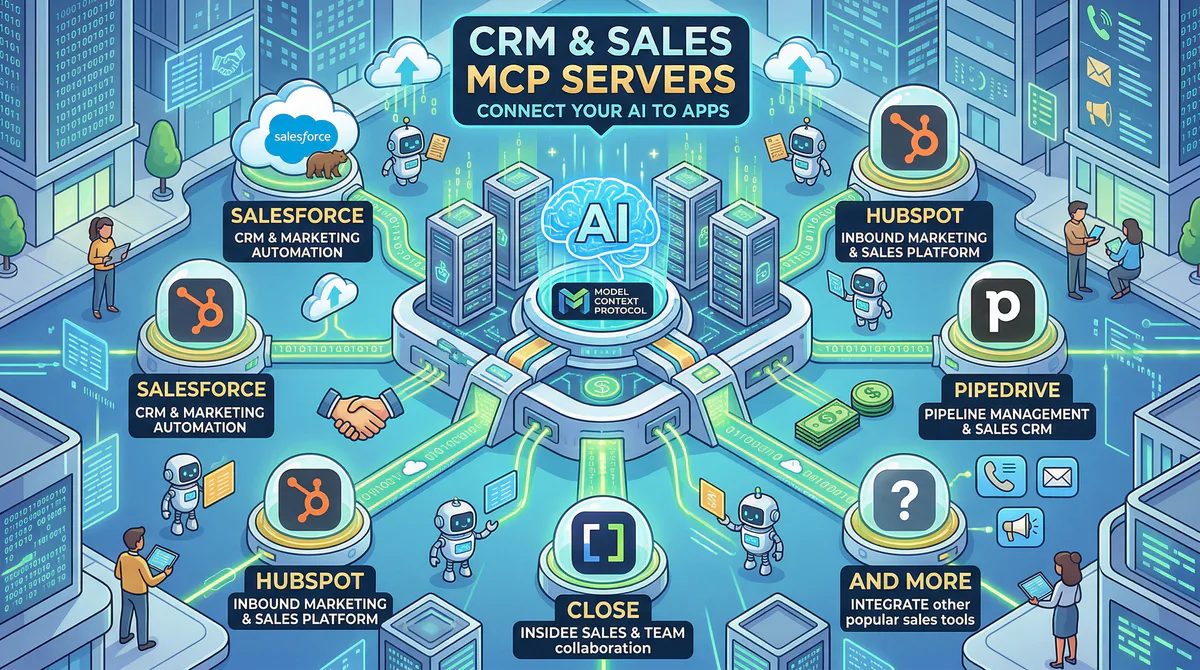
- CRM & Sales MCP Servers — Salesforce, HubSpot, Pipedrive
- E-Commerce MCP Servers — Shopify, WooCommerce, Klaviyo
- Developer & Data MCP Servers — BigQuery, Datadog, Retool
- The Complete MCP Server Directory — 2,500+ apps across every category
How to Connect Any Marketing Tool
Every tool in this guide connects the same way:
- Go to our App Catalog
- Search for the tool (SurferSEO, Jasper, Semrush, AppTweak, etc.)
- Click “Subscribe” — we handle the API configuration
- Copy the connection URL we generate for you
- Paste into your AI tool:
- Claude Desktop: Settings → Developer → Edit Config → add to
mcpServers - Cursor: Settings → MCP → Add Server (or click “Connect to Cursor”)
- ChatGPT Desktop: Settings → Connectors → Add
- VS Code:
Ctrl+Shift+P→ “MCP: Add Server” → paste URL - Lovable: Settings → Connectors → New MCP Server
- Claude Desktop: Settings → Developer → Edit Config → add to
Time: under 2 minutes per tool.
Start Building Your AI Marketing Stack
Browse all marketing MCP servers →
Your Monday morning marketing reports should take 30 seconds, not 3 hours. Your competitive analysis should be a question, not a project. Your content optimization should happen during writing, not after.
These connections make that possible — securely, instantly, with a full audit trail.
Need a marketing tool that’s not in the catalog? Email us at support@vinkius.com — we add new servers every week.
Your agents need tools. We make them safe.
Pick an MCP server from the catalog. Subscribe. Copy the URL. Paste it into Claude, Cursor, or any client. One URL — DLP, audit trail, and kill switch included.
V8 sandbox isolation · Semantic DLP · Cryptographic audit trail · Emergency kill switch