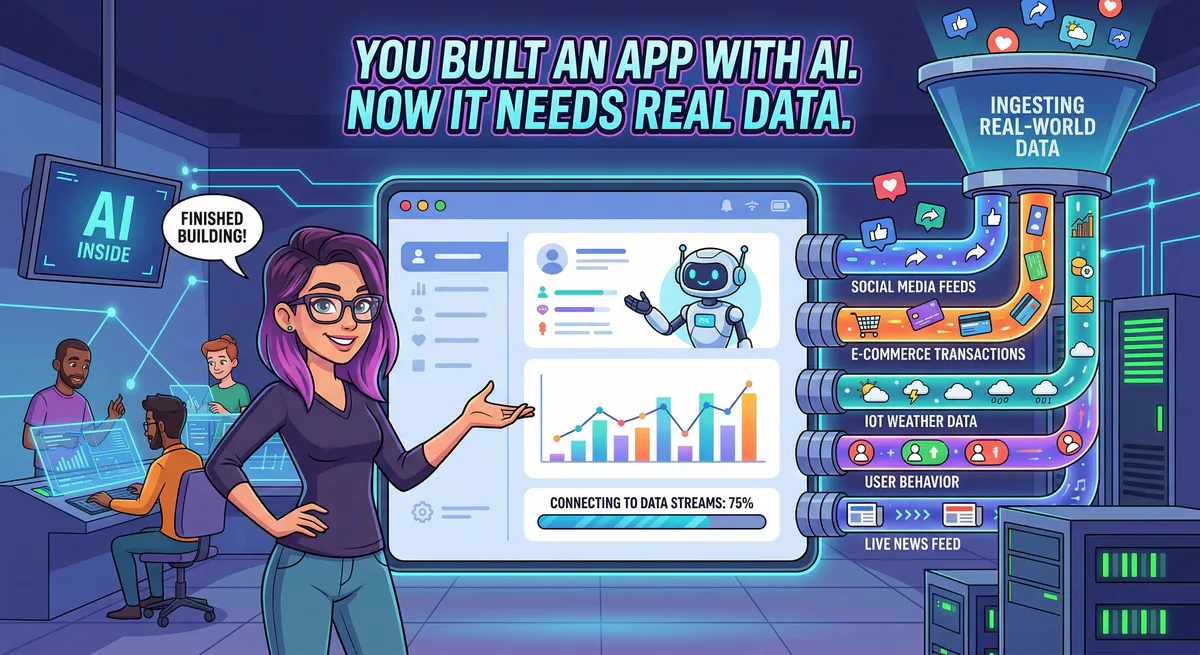
You told Lovable to build you a CRM dashboard. It did — in three minutes. The layout is good. The components are clean. Your client is impressed.
Then they ask: “Can it show our actual customer data?”
And you realize: the dashboard is full of placeholder text. John Doe, jane@example.com, Order #12345. It looks real, but it is empty.
This is the moment every vibe coder hits. The app is built. The UI is polished. But it is disconnected from the real world. And the people paying you don’t care about beautiful prototypes — they care about their data.
The Gap That 8 Million Builders Are Hitting
The numbers are staggering. Lovable alone has nearly 8 million users creating over 100,000 new projects daily. Supabase powers more than 3.5 million databases. Cursor, Bolt, and Replit collectively serve tens of millions of builders.
These tools have made building apps trivially easy. What they haven’t solved is the next step: connecting those apps to real business systems.
Your Lovable dashboard needs to pull customer records from HubSpot. Your Bolt-built support portal needs to read tickets from Zendesk. Your Cursor-generated analytics tool needs to query Stripe for payment data.
Right now, this connection step is where builders get stuck. The app is 90% done, and then you spend three weeks wrestling with API keys, authentication flows, environment variables, CORS errors, and rate limits — or you simply ship with fake data and hope nobody notices.
Why This Gap Exists
The AI that built your app knows how to generate React components, design databases, and write Tailwind CSS. What it doesn’t know is how to securely talk to your company’s existing tools.
The credential problem. To connect to Stripe, you need a Stripe API key. To connect to HubSpot, you need a HubSpot token. Where do you put these credentials? In a .env file? In Supabase Edge Functions? In your Lovable project? Every option has security risks — and most vibe coders aren’t security experts.
The maintenance problem. You managed to get the Stripe integration working. Then Stripe updates their API. Or your token expires. Or you need the same connection in a different project. Each integration is a separate piece of infrastructure you have to maintain — and you didn’t sign up to be an infrastructure engineer.
The scale problem. One integration is manageable. But a real business app needs five, ten, twenty connections: CRM, payments, email, project management, databases, communication tools. Each one with its own authentication, its own SDKs, its own documentation. This is the wall where vibe coding stops and traditional software engineering begins.
The Bridge: MCP Servers
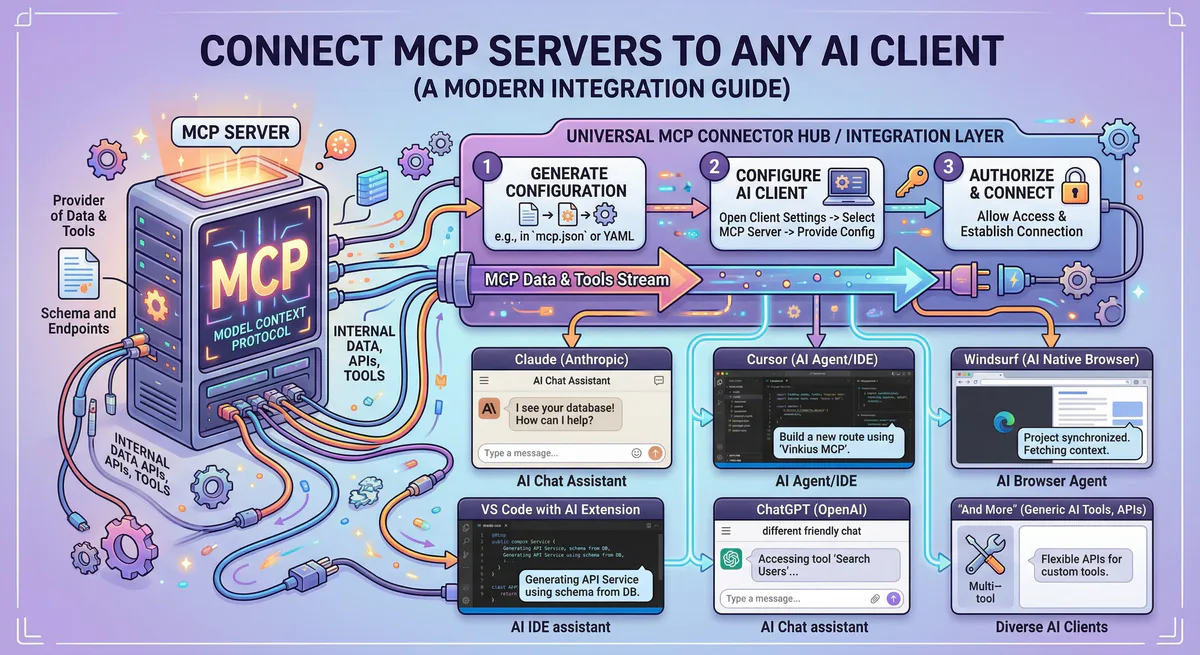
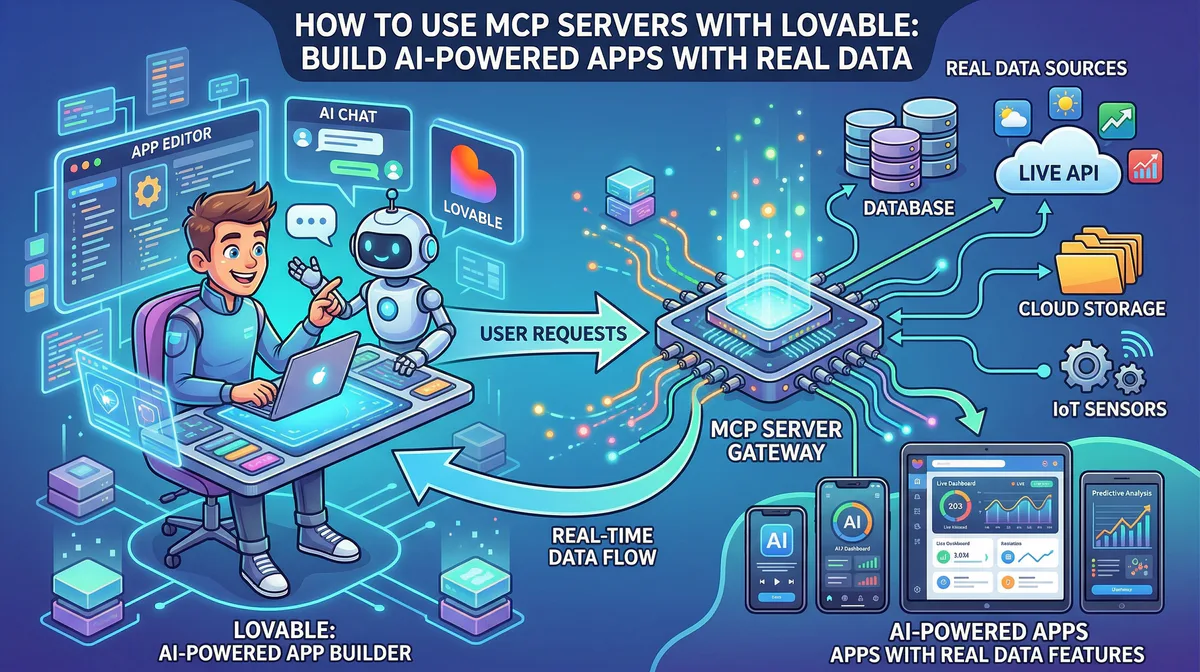
MCP servers solve this problem by acting as ready-made bridges between your AI tools and business apps. Instead of writing custom integrations for each service, you install a bridge from a catalog — the same way you install an app from your phone’s app store.
Each bridge handles the hard parts:
- Authentication — Your API keys are stored securely, not in your code
- Data formatting — Responses come back in a structure your AI understands
- Security — Sensitive fields (emails, credit cards, passwords) are automatically redacted before they reach the AI
- Reliability — The bridge is always running, always updated, always available
You don’t write the bridge. You don’t maintain it. You just connect and use it.
How This Works in Practice
Scenario 1: The Client Dashboard Built in Lovable
What you built: A beautiful client portal with project timelines, invoice history, and support ticket tracking.
What’s missing: It’s all placeholder data. The client wants to see their actual invoices from Stripe and their actual support tickets from Zendesk.
The fix (5 minutes):
- Go to our App Catalog and subscribe to the Stripe MCP and Zendesk MCP servers
- Copy the connection URLs to Lovable (Settings → Connectors → Personal Connectors)
- Tell Lovable: “Pull real invoice data from Stripe for the current user and display it in the invoice section. Pull open support tickets from Zendesk and show them in the support tab.”
The AI generates the integration code. The data flows through the MCP bridge. The placeholder text disappears, replaced by real invoices and real tickets.
Scenario 2: The Internal Tool Built in Bolt
What you built: An employee directory with search, filter, and org chart visualization.
What’s missing: Employee data is hardcoded in a JSON file. HR wants it connected to their Google Workspace and Notion HR database.
The fix:
- Subscribe to the Google Workspace MCP and Notion MCP from our catalog
- Paste the URLs into your project configuration
- The app now queries real employee directories and HR docs — not static JSON
Scenario 3: The Analytics Dashboard in Cursor
What you built: A revenue analytics dashboard with charts, KPIs, and drill-down tables.
What’s missing: The data source is a mock CSV file. Finance wants it connected to Stripe and Google Sheets.
The fix:
- Subscribe to the Stripe MCP and Google Sheets MCP
- Add the connection URLs to your Cursor MCP config
- Use Claude or Copilot: “Replace the mock data source with live Stripe revenue data and the Google Sheets budget spreadsheet.”
The dashboard shows real revenue. Real numbers. Numbers that update when payment happens.
The Top 10 Bridges Every Vibe Coder Needs
Based on what we see in our App Catalog, these are the most installed integrations by builders coming from Lovable, Bolt, Cursor, and Replit:
| # | Bridge | What it unlocks | Who needs it |
|---|---|---|---|
| 1 | Stripe MCP | Payments, invoices, subscriptions, refunds | Anyone building a SaaS or marketplace |
| 2 | Supabase MCP | Database queries, schema management, auth | Every app that needs a backend |
| 3 | Notion MCP | Docs, databases, project management | Product teams, agencies, consultants |
| 4 | Slack MCP | Messages, channels, notifications | Team tools, internal dashboards |
| 5 | HubSpot MCP | CRM contacts, deals, pipelines | Sales tools, client portals |
| 6 | Google Sheets MCP | Spreadsheet data, financial reports | Reporting tools, data dashboards |
| 7 | Jira MCP | Tickets, sprints, backlogs | Project management apps |
| 8 | GitHub MCP | Repos, issues, PRs, code analysis | Developer tools, DevOps dashboards |
| 9 | Gmail MCP | Emails, threads, labels | Communication tools, CRM enrichment |
| 10 | Firecrawl MCP | Web scraping, competitor analysis | Research tools, content apps |
Every one of these is available in our catalog. Subscribe → copy URL → paste into your tool → done.
”But I’m Not Technical Enough for This”
If you built an app in Lovable or Bolt, you are already technical enough for this. Here is what MCP integration actually looks like — no terminal, no code:
Step 1: Go to cloud.vinkius.com and create a free account.
Step 2: Browse the App Catalog. Find the apps your project needs (Stripe, Notion, Slack, etc.). Click “Subscribe.”
Step 3: After subscribing, we generate a connection URL for you:
https://edge.vinkius.com/YOUR_TOKEN/stripe-mcpStep 4: Paste this URL into your AI tool’s MCP settings:
- Lovable: Settings → Connectors → Personal Connectors → New MCP Server → paste URL
- Cursor: Settings → MCP → Add Server → paste URL
- Claude Desktop: Settings → Developer → Edit Config → add URL to
mcpServers - VS Code: Ctrl+Shift+P → “MCP: Add Server” → paste URL
Step 5: Ask your AI to use the connected data. That’s it.
No npm packages. No API documentation. No authentication code to write. The bridge handles everything.
What Happens Behind the Bridge
You don’t need to understand the technical details, but if your client or CTO asks, here is what happens when your app calls a bridge:
- Your AI sends a request → “Get the latest 20 invoices from Stripe”
- The bridge authenticates → It uses your Stripe API key, stored encrypted in our vault. The key never appears in your code.
- Stripe responds → 20 invoices with all customer details
- The bridge filters the response → It truncates to prevent overwhelming the AI (defaulting to 50 items max, configurable)
- The bridge redacts sensitive fields → Credit card numbers, email addresses, and API keys are replaced with
[REDACTED] - Your AI receives clean, safe data → Ready to display in your app
This entire flow is logged. You can see exactly what data was accessed, when, and by whom — in your dashboard.
The Security Question Every Client Will Ask
When you connect a client’s Stripe account or HubSpot CRM to an AI-built app, the first question from anyone with authority will be: “Is this secure?”
Here is what you can tell them:
“Your API keys are never in my code.” We store all credentials in an encrypted vault. The connection URL is the only thing that exists in the app configuration — and it contains no secrets.
“Sensitive data is automatically filtered.” Before any customer data reaches the AI, our DLP (Data Loss Prevention) engine scans every response. Credit card numbers, social security numbers, phone numbers, and API keys are replaced with [REDACTED]. This is on by default.
“There’s a kill switch.” If anything goes wrong, you can disable any connection instantly from the dashboard. One click — the connection is dead.
“Everything is logged.” Every data request the AI makes is recorded with a timestamp, the tool called, and the response size. If the client asks “what data did your app access last Tuesday?” — you have the answer.
From Prototype to Production: The Checklist
You’ve built the app. Now make it real:
- Identify the data sources — Which real business systems does this app need? (CRM, payments, project management, databases)
- Subscribe to the bridges — Visit our App Catalog and subscribe to each one
- Paste the connection URLs — Into Lovable, Cursor, Bolt, or whichever tool you used
- Replace placeholder data — Ask your AI to swap mock data with real data from the connected services
- Test with real queries — “Show me the last 5 invoices” / “List open support tickets” / “Find contacts tagged as Enterprise”
- Share the audit trail — Show your client the dashboard where they can see exactly what data was accessed
The prototype-to-production gap is not about coding skill. It is about connecting your app to the real world. That is what these bridges do.
Getting Started
Step 1. Create a free account.
Step 2. Browse the App Catalog — over 2,500 bridges available.
Step 3. Connect your first bridge. Start with whatever your app needs most — Stripe, Supabase, Notion, or Slack.
Step 4. Replace your placeholder data with the real thing.
Your clients don’t pay for prototypes. They pay for apps that work with their data.
Need help connecting your specific app? Join our community or email support@vinkius.com.
Your agents need tools. We make them safe.
Pick an MCP server from the catalog. Subscribe. Copy the URL. Paste it into Claude, Cursor, or any client. One URL — DLP, audit trail, and kill switch included.
V8 sandbox isolation · Semantic DLP · Cryptographic audit trail · Emergency kill switch