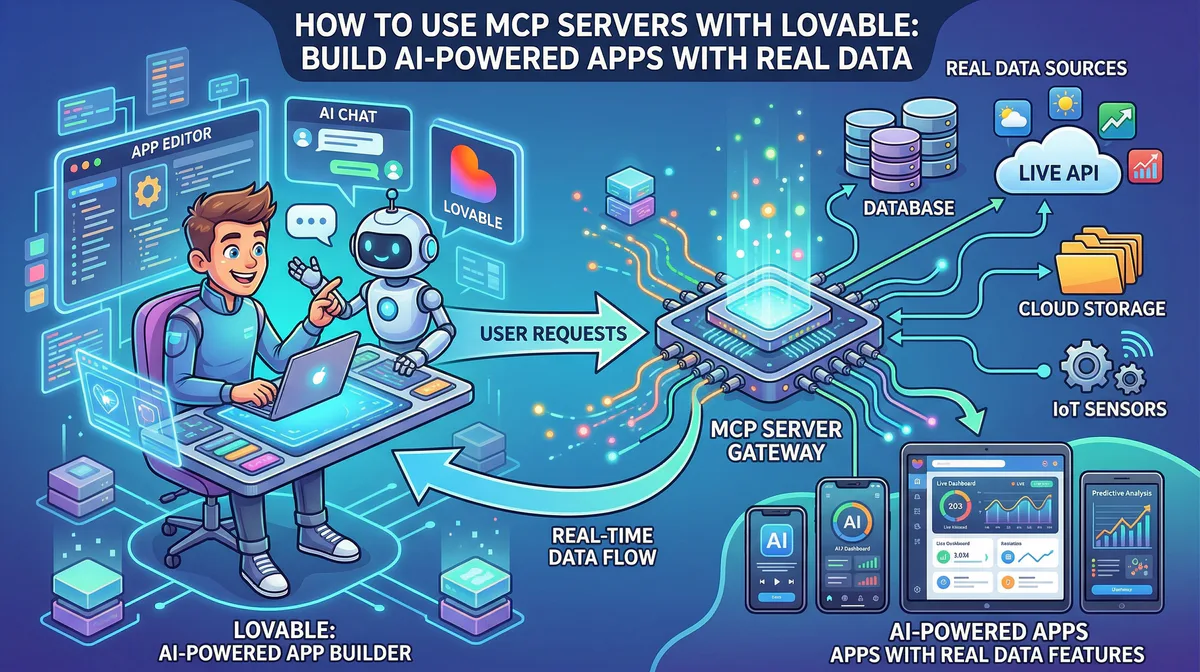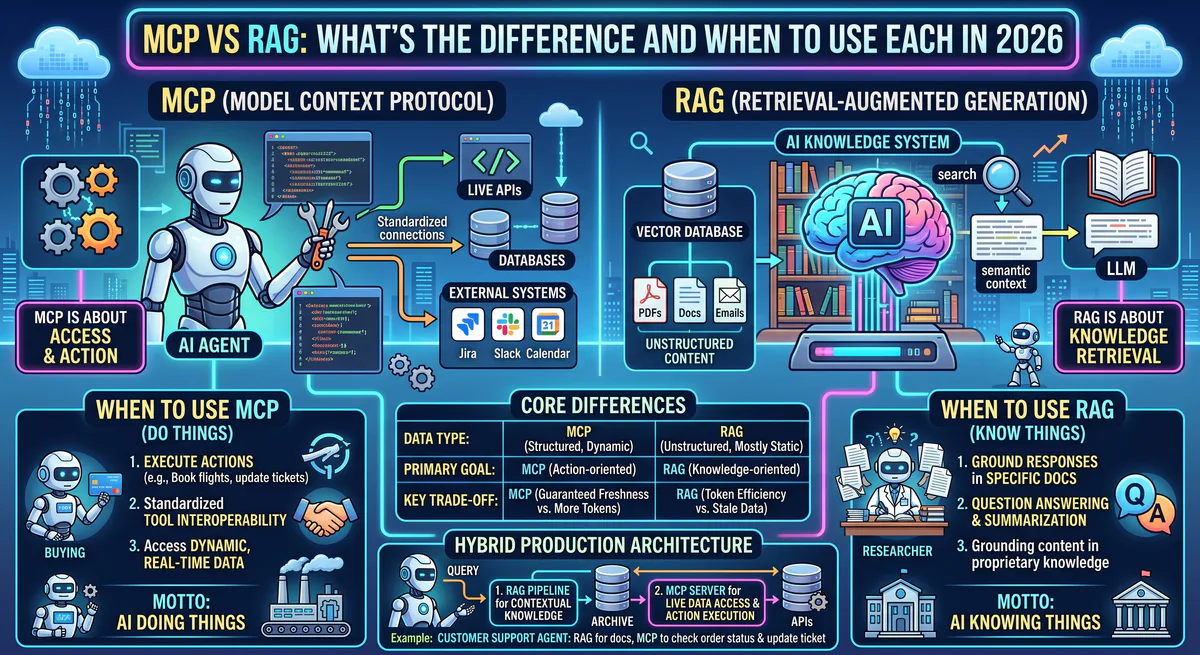
MCP (Model Context Protocol) is an open standard that lets AI agents execute actions — query databases, call APIs, send messages — through a standardized interface. RAG (Retrieval-Augmented Generation) is a design pattern that feeds relevant documents into an AI model’s context window to improve answer accuracy. MCP is a protocol for doing. RAG is a technique for reading. They solve fundamentally different problems and are most powerful when combined.
This distinction matters because the industry conflates them constantly. We see it in support tickets, conference talks, and technical evaluations. Teams reach for RAG when they need MCP, and they try to build MCP pipelines when a simple RAG setup would suffice. This guide eliminates the confusion.
What is MCP?
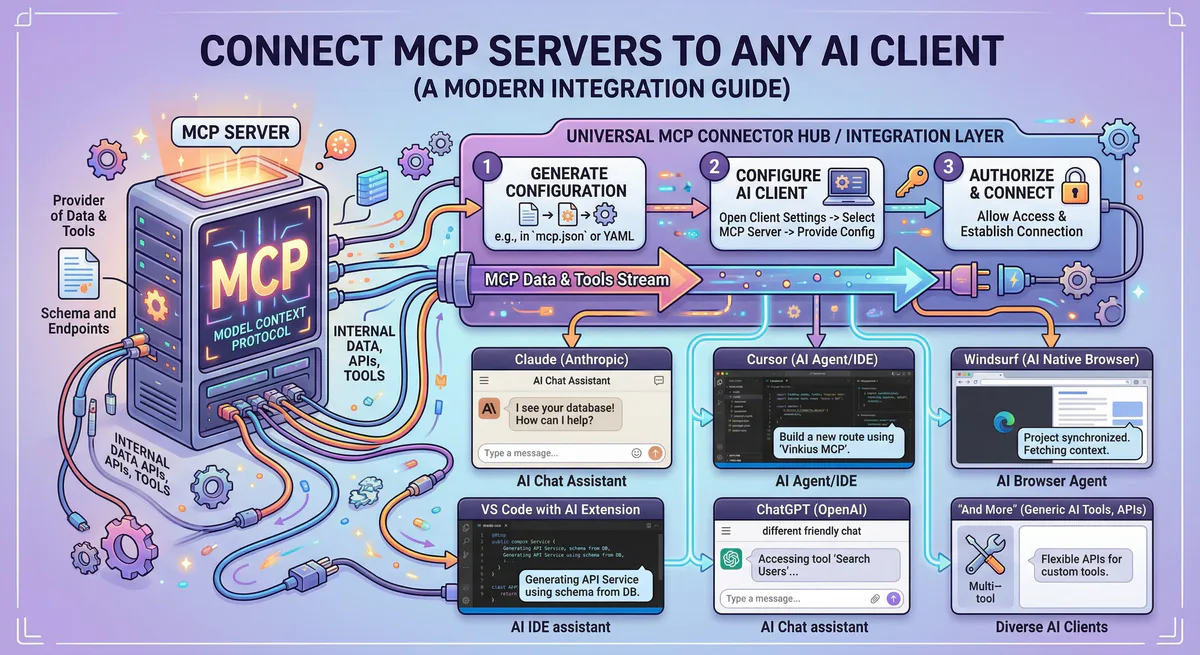
The Model Context Protocol is an open-source standard — originally released by Anthropic in late 2024 — that creates a universal interface between AI applications and external tools. Think of it as the USB-C port for AI: one standard connection that works with any compatible tool or data source, regardless of which AI model you’re using.
MCP operates through a client-server architecture:
- MCP Host — your AI application (Claude Desktop, Cursor, a custom LangChain agent)
- MCP Client — a lightweight layer inside the host that manages server connections
- MCP Server — a small program that wraps a specific tool and exposes it through standardized JSON-RPC 2.0 messages
Every MCP server can expose three types of capabilities:
- Tools — functions the AI can call to perform actions (create a Jira ticket, send an email, run a SQL query)
- Resources — data the AI can read (file contents, database schemas, API documentation)
- Prompts — pre-defined instruction templates that guide the AI’s behavior for specific workflows
The critical distinction: MCP is bidirectional. The AI can both read data and write changes. It can query your CRM and then update a deal stage. It can read a log file and then create a bug report. This is fundamentally different from RAG.
Browse 2,500+ production-ready MCP servers →
What is RAG?
Retrieval-Augmented Generation is a design pattern — not a protocol, not a product, not a standard. It’s an architectural approach that addresses a core limitation of large language models: they can only reason over information in their context window, and that information is limited to their training data cutoff.
RAG solves this by injecting relevant documents into the model’s context at inference time. The standard RAG pipeline:
- Index — your documents are chunked, embedded into vectors, and stored in a vector database
- Retrieve — when a user asks a question, the system finds the most semantically relevant document chunks
- Generate — those chunks are injected into the model’s prompt alongside the user’s question, so the model can reason over fresh, specific data
RAG is inherently read-only. The model receives information and generates a response. It does not call APIs. It does not modify records. It does not execute workflows. It reads documents and generates text.
MCP vs RAG: The Core Differences
| Dimension | MCP | RAG |
|---|---|---|
| What it is | An open protocol (standard) | A design pattern (technique) |
| Primary function | Execute actions + read data | Read documents + generate answers |
| Direction | Bidirectional (read + write) | Unidirectional (read only) |
| Data freshness | Real-time — queries live systems | Semi-fresh — depends on index update frequency |
| When the AI acts | Runtime tool calling | Inference-time context injection |
| What gets exposed | Tools, Resources, Prompts | Document chunks |
| Transport | JSON-RPC 2.0 (stdio / HTTP+SSE) | Embedding + vector similarity search |
| Security scope | Credential management, audit trails, DLP | Access control on document indices |
| Standardization | Open standard with official SDKs | No standard — many implementations |
| Best analogy | A universal remote control | A library research assistant |
When to Use MCP
Use MCP when your AI agent needs to do things, not just answer questions.
Operational workflows. An agent that monitors Sentry for new errors, correlates them with recent GitHub commits, creates a Jira ticket with the stack trace, and notifies the team on Slack. Every step requires calling a different tool. MCP provides the standardized interface for all four.
Multi-tool orchestration. An e-commerce agent that checks Shopify inventory, updates pricing in Stripe, sends a restock alert through WhatsApp, and logs the action in a Google Sheet. Without MCP, you’d need custom API wrappers for each service.
Real-time data access. An agent that queries live production metrics from Datadog, checks current deployment status from Vercel, and compares them against historical baselines from BigQuery. MCP servers connect to live systems — no indexing delay.
Data mutations. Any scenario where the AI needs to write, update, or delete records: updating CRM fields, merging pull requests, processing refunds, modifying database entries.
See how MCP servers connect to 2,500+ tools →
When to Use RAG
Use RAG when your AI needs to answer questions grounded in a specific corpus of documents that the model wasn’t trained on.
Internal knowledge bases. A customer support chatbot that answers questions about your product using your documentation, help articles, and internal wikis. The model needs to reference specific, proprietary information — not call any external API.
Document analysis. A legal assistant that answers questions about contract terms by searching through a repository of signed agreements. The task is pure retrieval and reasoning — no actions needed.
Long-context reasoning. An analyst assistant that answers questions about quarterly earnings reports by retrieving and reasoning over specific sections of 10-K filings. The relevant data is too large to fit in a single context window, so RAG retrieves the most relevant chunks.
Static reference data. Grounding responses in compliance guidelines, medical literature, engineering specifications, or any corpus that changes infrequently and requires high retrieval accuracy.
When to Combine MCP + RAG
The most powerful production systems use both. They are complementary, not competing.
Pattern: RAG for context, MCP for action.
A support agent uses RAG to search your knowledge base for the relevant troubleshooting article. It then uses MCP to check the customer’s account status in Salesforce, verify their subscription tier in Stripe, and — if the issue is a known bug — automatically create a support ticket in Zendesk with the relevant context attached.
RAG provided the knowledge. MCP executed the resolution.
Pattern: MCP for retrieval, RAG for synthesis.
An MCP server connects to your PostgreSQL database and retrieves structured data — sales figures, user metrics, deployment logs. The agent then uses a RAG-style approach to enrich the response with context from your internal documentation about what those metrics mean, what the benchmarks are, and what the recommended thresholds are.
MCP retrieved the live data. RAG provided the interpretive context.
Pattern: Vector search as an MCP resource.
Several MCP servers — including Pinecone MCP, Qdrant MCP, and Weaviate MCP — expose vector databases as MCP resources. This means your AI agent can perform semantic search (a RAG operation) through the standardized MCP interface, unifying both patterns under a single protocol.
The Security Dimension
This is where the distinction has real operational consequences.
RAG security is relatively straightforward. You control which documents get indexed, you manage access to the vector store, and you prevent prompt injection through input sanitization. The attack surface is limited because RAG is read-only.
MCP security is fundamentally more complex because MCP enables action. An agent with MCP access to your production database doesn’t just read — it can write. An agent connected to your Stripe account doesn’t just query — it can process refunds. The attack surface expands dramatically.
This is why production MCP deployments require a managed gateway that provides:
- Credential isolation — secrets stored in an encrypted vault, never exposed to the AI
- Semantic intent classification — destructive actions blocked before execution
- Cryptographic audit trail — every tool call hash-chained and immutable
- Data Loss Prevention — PII scrubbed in real-time before leaving the perimeter
Learn how our managed MCP gateway secures tool execution →
Decision Framework
Use this flowchart to determine the right approach for your use case:
Does your AI need to perform actions (write data, call APIs, trigger workflows)?
- Yes → You need MCP.
- No → Continue.
Does your AI need to answer questions using a specific corpus of documents?
- Yes → You need RAG.
- No → Continue.
Does your AI need to both retrieve documents AND perform actions?
- Yes → You need MCP + RAG combined.
- No → You may not need either — a well-prompted base model might be sufficient.
Common Misconceptions
“MCP replaces RAG.” No. MCP does not perform document chunking, embedding, or semantic similarity search. If your primary need is grounding AI responses in a document corpus, RAG is still the right pattern.
“RAG can do everything MCP does.” No. RAG cannot call APIs, execute database queries, create records, or trigger workflows. It retrieves documents. That’s it.
“I need to choose one or the other.” No. The most effective production agents combine both. Use MCP for tool access and live data. Use RAG for document grounding and historical context.
“MCP is just a fancy API wrapper.” MCP is significantly more than that. It provides dynamic tool discovery, standardized communication across any AI host, built-in transport negotiation, and a governance layer that raw API calls lack entirely.
Frequently Asked Questions
Can I use MCP to build a RAG pipeline?
Yes. MCP servers for vector databases — such as Pinecone MCP, Qdrant MCP, Weaviate MCP, Chroma MCP, and MongoDB Atlas Vector MCP — expose embedding storage and semantic search as MCP tools. Your agent performs RAG operations through the standardized MCP interface.
Does RAG work with MCP servers?
Absolutely. An MCP server can expose a vector index as a Resource, allowing the AI to semantically search your documents through the MCP protocol. This unifies RAG retrieval with MCP’s action capabilities in a single agent.
Which is more secure — MCP or RAG?
RAG has a smaller attack surface because it is read-only. MCP introduces write capabilities, which increases the security requirements significantly. Production MCP deployments should always use a managed gateway with credential isolation, audit logging, and semantic intent classification.
Is MCP only for developers?
No. Platforms like our App Catalog provide one-click MCP server subscriptions that require zero coding. You subscribe, get a connection URL, and paste it into Claude Desktop or Cursor. The technical infrastructure is fully managed.
Can I use both MCP and RAG in the same agent?
Yes, and you should for complex production workflows. The agent uses RAG to retrieve contextual knowledge from your documents, and MCP to execute actions based on that knowledge. This is the standard architecture for enterprise AI agents in 2026.
Ready to build agents that both think and act? Browse our App Catalog — 2,500+ production-ready MCP servers with built-in security, DLP, and audit logging. Create a free account →
Your agents need tools. We make them safe.
Pick an MCP server from the catalog. Subscribe. Copy the URL. Paste it into Claude, Cursor, or any client. One URL — DLP, audit trail, and kill switch included.
V8 sandbox isolation · Semantic DLP · Cryptographic audit trail · Emergency kill switch