Your AI agent just consumed 847,000 tokens to answer a question that required 2,000.
The agent called a CRM tool. The tool returned 500 customer records — full objects with 47 fields each — because the MCP server had no response filtering. The agent only needed the customer’s name and last order date.
847,000 input tokens per question. Check this against the pricing of whatever model you use — the table below shows the most popular options. At frontier model rates, a single question can cost $2 to $13. Ask that question 500 times per day across a sales team, and the monthly bill is $30,000 to $97,500 — for one tool, on one workflow.
LLM API Pricing Reference (input tokens, as of April 2026)
Model Input / 1M tokens Source Claude Sonnet 4.6 $3.00 anthropic.com/pricing Claude Opus 4.6 $5.00 anthropic.com/pricing GPT-5.4 $2.50 openai.com/api/pricing GPT-5.4 Pro $30.00 openai.com/api/pricing Gemini 2.5 Pro $1.25 ai.google.dev/pricing Gemini 2.5 Flash $0.15 ai.google.dev/pricing Prices change frequently. Always verify on the official pricing pages before budgeting.
This is not an edge case. This is the default behavior of every standard MCP server in production today. And it is why engineering teams that deployed AI agents with enthusiasm in Q1 are now getting emergency calls from finance in Q2.
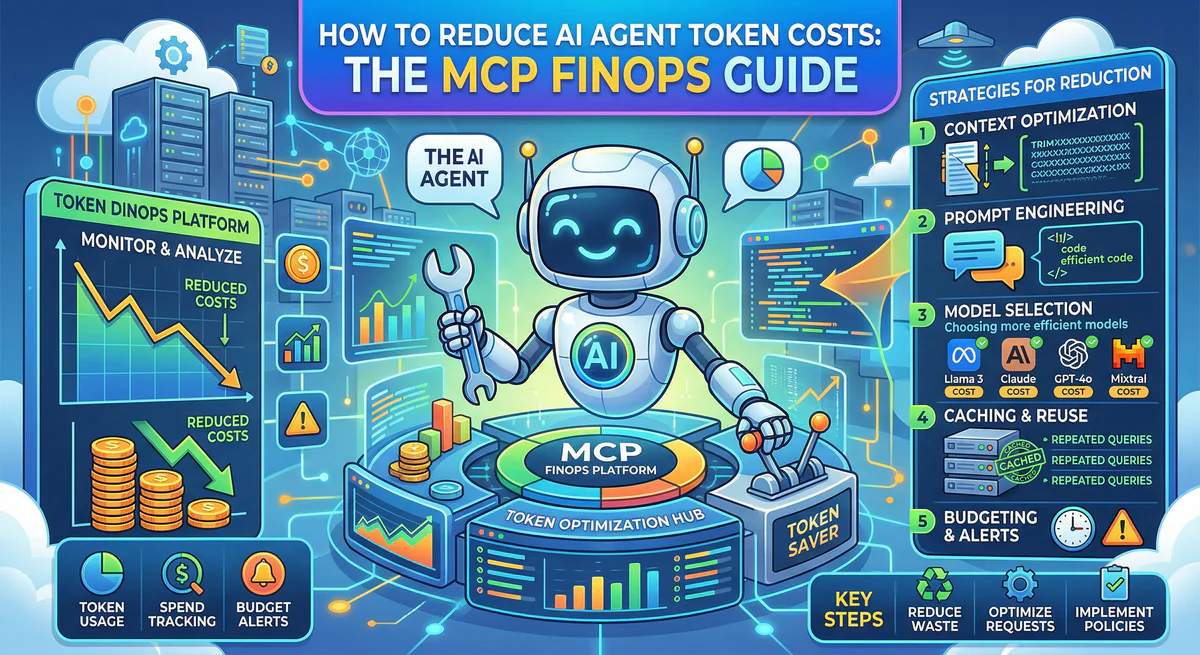
This guide explains why AI agent costs explode, and how to reduce them significantly — not by switching models or writing custom wrappers, but by deploying MCP servers with built-in FinOps from day one.
Why AI Agent Costs Explode: The Three Token Taxes
Tax #1: The Payload Tax
Every MCP tool call returns a response. The LLM must process this response — every byte of it — as input tokens. Standard MCP servers return the full API response with no filtering, no truncation, and no awareness of context window economics.
A Jira MCP server returns 50 issue objects. Each object contains 89 fields: id, key, summary, description, assignee, reporter, status, priority, labels, components, fixVersions, timeTracking, worklog, comments, attachments, customfield_10001 through customfield_10047…
The agent needed key, summary, and status. Three fields. But it paid for 89.
The math: A single Jira search call returns ~120KB of JSON. At ~4 characters per token, that is ~30,000 input tokens. The agent needed ~200 tokens of useful data. Waste factor: 150x.
Tax #2: The Description Tax
Before an agent can call a tool, the LLM must understand what tools are available. Every tool’s name, description, and input schema is injected into the system prompt on every single request.
An MCP server with 200 tools (common for enterprise CRM, ERP, and ITSM integrations) generates approximately 40,000–80,000 tokens of tool descriptions alone. These descriptions are repeated on every agent turn — even if the agent only uses 2 of the 200 tools.
The math: 60,000 description tokens × 4 turns per conversation × 50 conversations per day = 12 million tokens per day — just for tool descriptions that the agent never reads.
Tax #3: The Loop Tax
AI agents reason in loops. They call a tool, process the result, decide whether to call another tool, and repeat. Each iteration carries the full conversation history plus all tool descriptions plus all previous tool results.
By turn 6 of a complex workflow, the context window contains:
- 60,000 tokens of tool descriptions (Tax #2)
- 150,000 tokens of accumulated tool responses (Tax #1 × 5 turns)
- 10,000 tokens of conversation history
Total: 220,000 tokens per turn. Each subsequent tool call adds another 30,000 tokens of response. Multiply 220,000 tokens by your model’s per-million-token rate — at Sonnet 4.6 rates that is $0.66 per turn; at GPT-5.4 Pro rates it is $6.60 per turn. The cost curve is not linear — it is exponential.
The Industry’s Broken Solutions
”Just Use a Cheaper Model”
Switching from a frontier model to a budget model (e.g., Gemini 2.5 Flash at $0.15/M) reduces the per-token cost dramatically. But if you are wasting 150x on payload bloat, the model switch just makes the waste cheaper — you are still paying for 847,000 tokens of data the agent never reads.
The problem is not the price per token. The problem is the number of tokens.
”Just Write Custom Wrappers”
Some teams write middleware that strips fields from API responses before passing them to the agent. This works — for one server. But:
- You need a custom wrapper per MCP server
- Wrappers break when upstream APIs change their response schemas
- There is no standard for which fields to keep — it varies by agent workflow
- No one maintains these wrappers long-term
”Just Use Smaller Context Windows”
Reducing the max_tokens parameter does not reduce input tokens. It only limits the agent’s response length. The 847,000 tokens of input are still consumed and billed regardless of the output limit.
The Vinkius FinOps Engine: What It Actually Does
We provide FinOps controls at the infrastructure level. Some are enabled by default. Others require configuration in your server settings. Here is exactly what each mechanism does, what the agent sees before and after, and what you need to configure.
Mechanism #1: Response Truncation
What it does: When an API returns an array with hundreds of items, our runtime truncates it to a configurable maximum and tells the agent exactly what happened.
Enabled by default: Yes. Default limit: 50 items. Configurable via Server Settings → FinOps Guard → Max Array Items (slider: 5–500).
Before (standard MCP server) — what the agent receives:
[
  { "id": 1, "key": "PROJ-1", "summary": "Fix login bug", "description": "...", "assignee": {...}, "reporter": {...}, "status": {...}, "priority": {...}, "labels": [...], "components": [...], "fixVersions": [...], "timeTracking": {...}, "worklog": {...}, "comments": [...], "attachments": [...], "customfield_10001": "...", "customfield_10002": "...", /* ...47 more fields */ },
  { "id": 2, /* ...same 89 fields */ },
  /* ...498 more objects identical in structure */
]
// 500 objects × 89 fields = ~120KB of JSON = ~30,000 tokens
After (Vinkius, agentLimit: 50) — what the agent receives:
[
  { "id": 1, "key": "PROJ-1", "summary": "Fix login bug", /* ...same fields, but only 50 items */ },
  /* ...49 more objects */
]
// ⚠️ Response truncated: showing 50 of 500 items. Use pagination or filters to narrow results.
What this does NOT do: Truncation only applies to array/list responses. If a tool returns a single object (e.g., get_user), the full object is returned untouched. The savings depend entirely on how many of your tools return large lists.
Mechanism #2: Tool Description Compression
What it does: Compresses the text descriptions of each tool before they are sent to the LLM’s context window. The compressed description preserves the semantic meaning the agent needs to choose the right tool.
Enabled by default: No. Must be explicitly enabled via Server Settings → FinOps Guard → Compression → Tool Description Compression toggle, or via Organization Settings → FinOps Guard → Tool Description Compression to apply across all servers.
Before (standard descriptions) — injected into every LLM request:
get_customer_details: Retrieves comprehensive customer
information including contact details, billing history,
subscription status, and associated account metadata
from the CRM system. Returns a detailed JSON object
containing all available fields for the specified customer.
Parameters: customer_id (string, required) - The unique
identifier for the customer record in the CRM system.

update_customer_email: Updates the email address for a
specified customer record in the CRM system. This
operation validates the new email format and triggers
a confirmation workflow to the customer's previous
email address before completing the update.
Parameters: customer_id (string, required) - The unique
identifier for the customer record.
email (string, required) - The new email address.
~180 tokens for 2 tools. Extrapolate to 200 tools: ~18,000 tokens per request, repeated every turn.
After (toonCompression enabled) — injected into every LLM request:
get_customer_details: Get customer info by ID.
Params: customer_id (string, required)

update_customer_email: Update customer email.
Params: customer_id (string, required), email (string, required)
~40 tokens for 2 tools. Extrapolate to 200 tools: ~4,000 tokens per request.
What this does NOT do: Compression does not change tool behavior or parameter schemas. It only shortens the human-readable descriptions. If your tools already have short descriptions, the saving will be minimal.
Mechanism #3: Byte-Level Egress Guard
What it does: Sets a hard ceiling on the byte size of any single tool response. If a response exceeds the limit, it is blocked before reaching the agent.
Enabled by default: Requires FinOps to be turned on. Configured per server or at organization level.
Before (no egress guard) — what happens when a database query returns a full table:
Agent calls: execute_sql("SELECT * FROM customers")
Response: 5.2 MB of JSON (entire customer table)
Token cost: ~1,300,000 input tokens
At Sonnet 4.6 ($3/M): $3.90 for one accidental query
After (maxPayloadBytes configured) — what the agent receives:
Error: Response exceeded maximum payload size (512 KB).
Refine your query with WHERE clauses, LIMIT, or specific columns.
What this does NOT do: The egress guard does not filter or transform responses. It is a hard kill switch. Responses under the limit pass through unchanged.
Mechanism #4: DLP Redaction
What it does: Replaces field values matching configured patterns (email, SSN, credit card, API key, etc.) with [REDACTED] before the response reaches the agent.
Enabled by default: Yes (with default patterns: *.email, *.password, *.ssn, *.credit_card, *.phone, *.api_key, *.token). Patterns are fully customizable via Server Settings → DLP Protection with an autocomplete interface covering 30+ common field patterns.
Before (no DLP) — what the agent receives:
{
  "id": 42,
  "name": "John Smith",
  "email": "john.smith@company.com",
  "phone": "+1-555-0123",
  "ssn": "123-45-6789",
  "credit_card": "4532-1234-5678-9012",
  "api_key": "sk-proj-abc123def456ghi789",
  "notes": "Preferred customer since 2019"
}
After (DLP enabled with default patterns) — what the agent receives:
{
  "id": 42,
  "name": "John Smith",
  "email": "[REDACTED]",
  "phone": "[REDACTED]",
  "ssn": "[REDACTED]",
  "credit_card": "[REDACTED]",
  "api_key": "[REDACTED]",
  "notes": "Preferred customer since 2019"
}
The cost side effect: DLP is a security feature, not a cost feature. However, it does reduce payload size as a side effect — "sk-proj-abc123def456ghi789" (27 chars) becomes "[REDACTED]" (10 chars). Across thousands of records, this adds up, but the primary purpose is compliance and data protection.
Mechanism #5: Real-Time Byte Tracking
What it does: Every tool call records two values: the raw response size before processing, and the bytes saved after truncation and DLP. These are aggregated per tool, per hour via Redis and visible in the server dashboard.
Enabled by default: Yes, on every request. No configuration required.
What you see in your dashboard:
Each tool call is logged with response_size_bytes and finops_truncated (true/false). The stats are aggregated hourly into sum_bytes and sum_bytes_saved counters. This gives you a factual, per-server breakdown of how much data FinOps is intercepting — no estimates, no projections, just measured bytes.
What this does NOT do: Byte tracking does not translate bytes to token cost automatically. You need to divide bytes by your model’s bytes-per-token ratio (~4 for most models) and multiply by your per-token rate to calculate the financial savings.
Circuit Breaker: The Budget Firewall
FinOps is not just about reducing costs on normal operations. It is about preventing catastrophic cost events.
AI agents can enter reasoning loops. A confused agent calls the same tool 10,000 times in 3 minutes. Without a circuit breaker, that is:
- 10,000 requests × 30,000 tokens = 300,000,000 tokens in 3 minutes
- At Sonnet 4.6 ($3/M): $900. At Opus 4.6 ($5/M): $1,500. At GPT-5.4 Pro ($30/M): $9,000.
We include a Circuit Breaker per token:
- Configurable window (e.g., 5 minutes)
- Maximum requests per window (e.g., 500)
- Cooldown period after trigger (e.g., 10 minutes)
When the circuit breaks, all requests from that token are blocked. The agent receives a clear error. The audit trail records the event. Your budget survives.
Per-Token Quota: Predictable Spend
Every connection token has a monthly request quota:
- Free plan: Hard limit — requests blocked at quota
- Paid plans: Soft limit with automatic overage charging per 10,000-request block
- Marketplace tokens: Subscription-scoped quotas with per-subscriber billing
This means you can give each team, each agent, each CI pipeline its own token with its own budget. The intern’s experimental agent cannot consume the production budget. The staging environment cannot exhaust the quota meant for customer-facing agents.
Start Reducing Your AI Agent Costs
Every MCP server — including all 2,500+ in our App Catalog — supports response truncation, description compression, egress guards, DLP redaction, real-time byte tracking, circuit breakers, and per-token quotas.
Enabled by default (no configuration needed): Response truncation (50 items), DLP with standard patterns, byte tracking, quota enforcement.
Requires one-time setup (toggle in server settings): Tool description compression, custom egress byte limits, custom DLP patterns, circuit breaker thresholds.
{
  "mcpServers": {
    "my-server": {
      "url": "https://mcp.vinkius.com/{YOUR_TOKEN}/my-server"
    }
  }
}
Create a free account at cloud.vinkius.com. Enable FinOps Guard in your server settings and monitor your byte savings in the dashboard.
Your agents need tools. We make them safe.
Pick an MCP server from the catalog. Subscribe. Copy the URL. Paste it into Claude, Cursor, or any client. One URL — DLP, audit trail, and kill switch included.
V8 sandbox isolation · Semantic DLP · Cryptographic audit trail · Emergency kill switch